. . . . . . . . . . . . . . . . . . . . . . . . .
Attaching and Detaching Procedures
2-7
Part Number: 235758-004 - Writer: Johnnie Abercrombie - Saved by: Rebecca Wiggins
Saved date: 11/05/97 1:36 PM - File Name: Ch02.doc
Docking the Computer and MCD
This section describes the procedures for docking the computer and
MCD to the convenience base. For information on using the
convenience base, refer to the
Installation and Operations
guide that
comes with the convenience base.
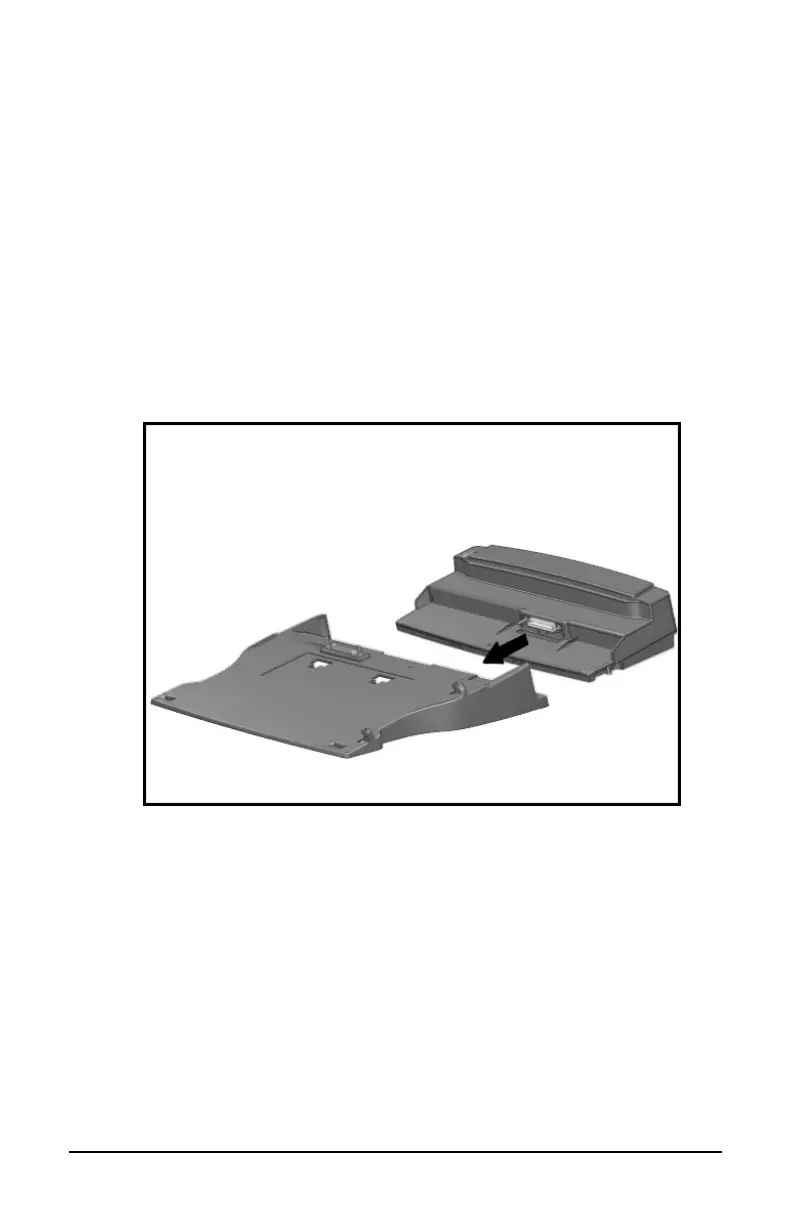
1. If attached, remove the convenience base adapter from the
convenience base by firmly holding both units and pulling them
apart.
NOTE:
The convenience base adapter is not used when the
computer is attached to the MCD.
Removing the Convenience Base Adapter
2. Ensure that all external equipment is connected to the
convenience base.
IMPORTANT:
If you are setting up the convenience base for the
first time, connect all external devices before docking the
computer. Refer to Chapter 3 for additional information on
connecting external devices.
NOTE:
You may leave external equipment turned on while
docking the computer.













 To Next Page