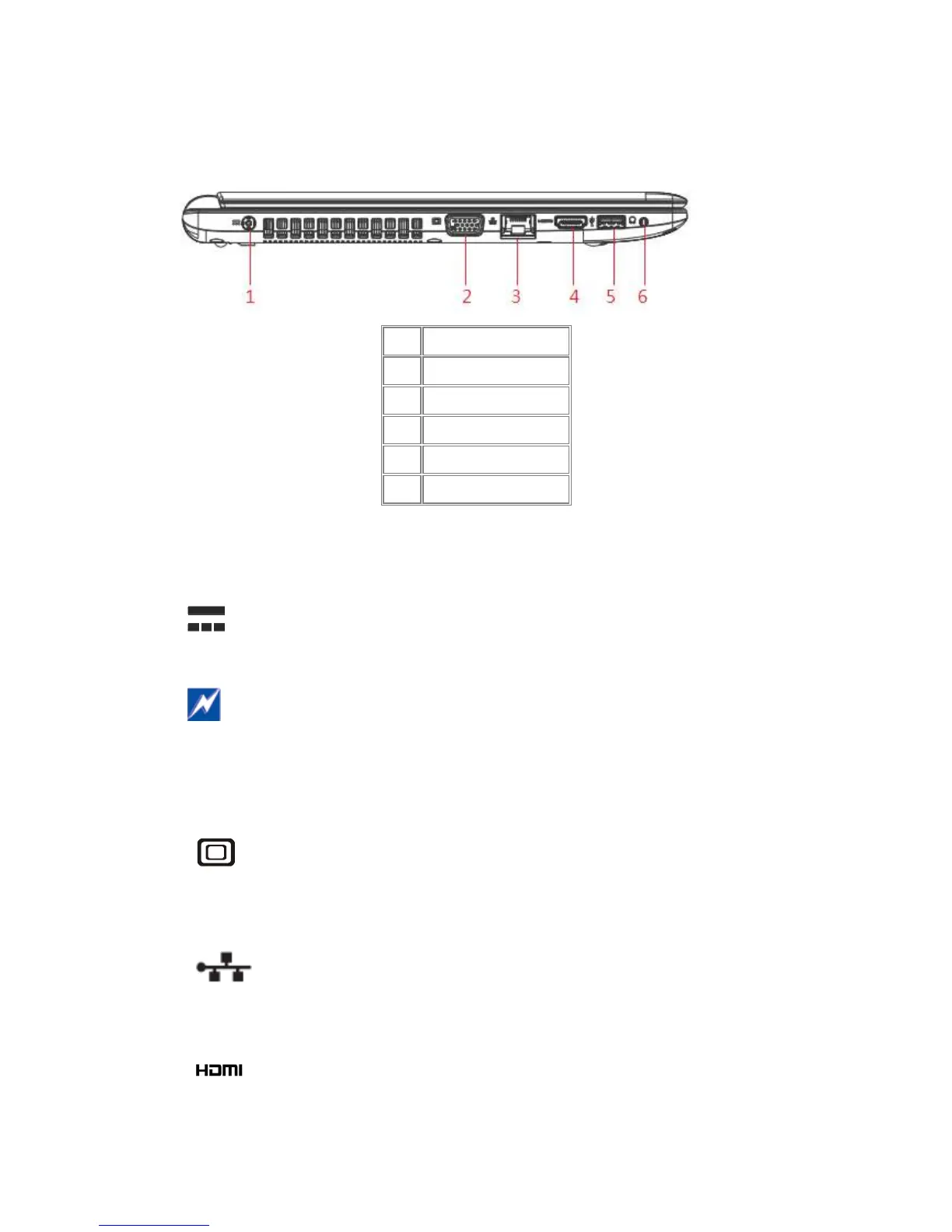
Left Side
The following picture shows the left side of your notebook.
1 DC-IN
2 VGA
3 LAN(RJ45)
4 HDMI
5 USB 3.0
6 Combo Jack(Apple)
1.1.3 AC Adapter Connector
Use this connector to attach the AC adapter to your notebook. You can connect an AC
adapter when your notebook is switched on or off.
While the AC adapter works with electrical outlets worldwide, power connectors and power
strips vary by country. Ensure you use a compatible cable or correctly connect the cable to
the power strip or electrical outlet. Failure to do so may cause fire or damage to equipment.
Use this port to connect an external VGA monitor to your computer.
1.1.5 LAN (RJ-45)
The LAN allows you to connect your notebook to an internet line with a standard RJ-
Use this port to connect an external HDMI monitor to your computer.



 To Next Page