3
Quick Start!
If you want to get started right away, all you have to do is press the start button on
the side and shoot. The Pocket Pro II comes from the factory congured and ready to
run. After the timer shuts down, press the SET/ON button to turn it on.
Control Buttons
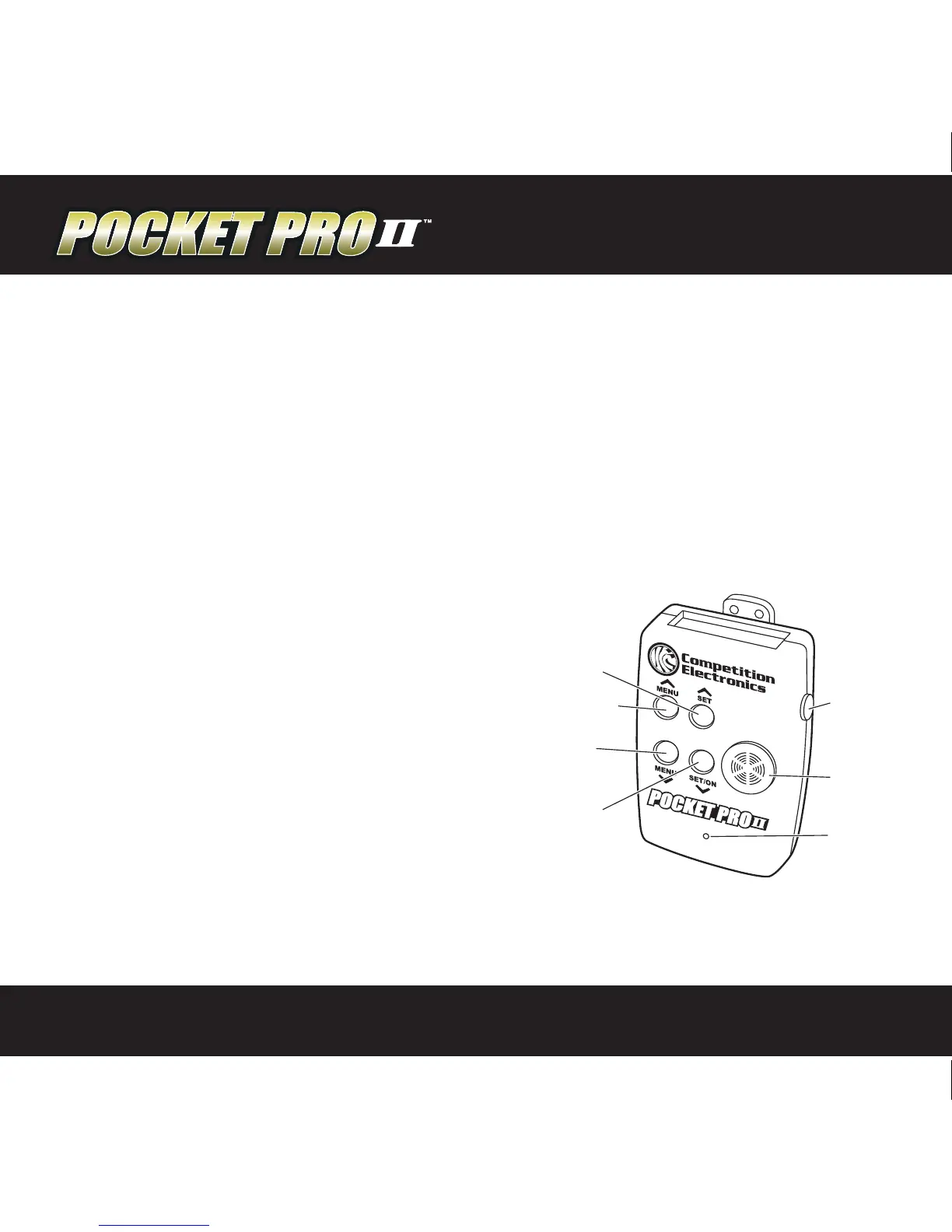
There are four buttons on the front of the case. Looking at the front of the case,
you will see the MENU UP/DOWN buttons on the left, and the SET UP/DOWN value
buttons on the right.
MENU UP/DOWN
The MENU UP/DOWN buttons are used to
navigate forward and backward through a
short loop of menu screens where the user
can access information and settable values.
SET UP/DOWN
In menu screens with ashing settable values,
pressing the SET (up arrow symbol) will
increase the value and SET/ON (down arrow
symbol) will decrease the value.
START
BUTTON
BUZZER
SHOT
SENSOR
SET/ON
DOWN
MENU
DOWN
MENU UP
SET UP


 To Next Page