30 Version 1.2
5.3 Checking drive belt
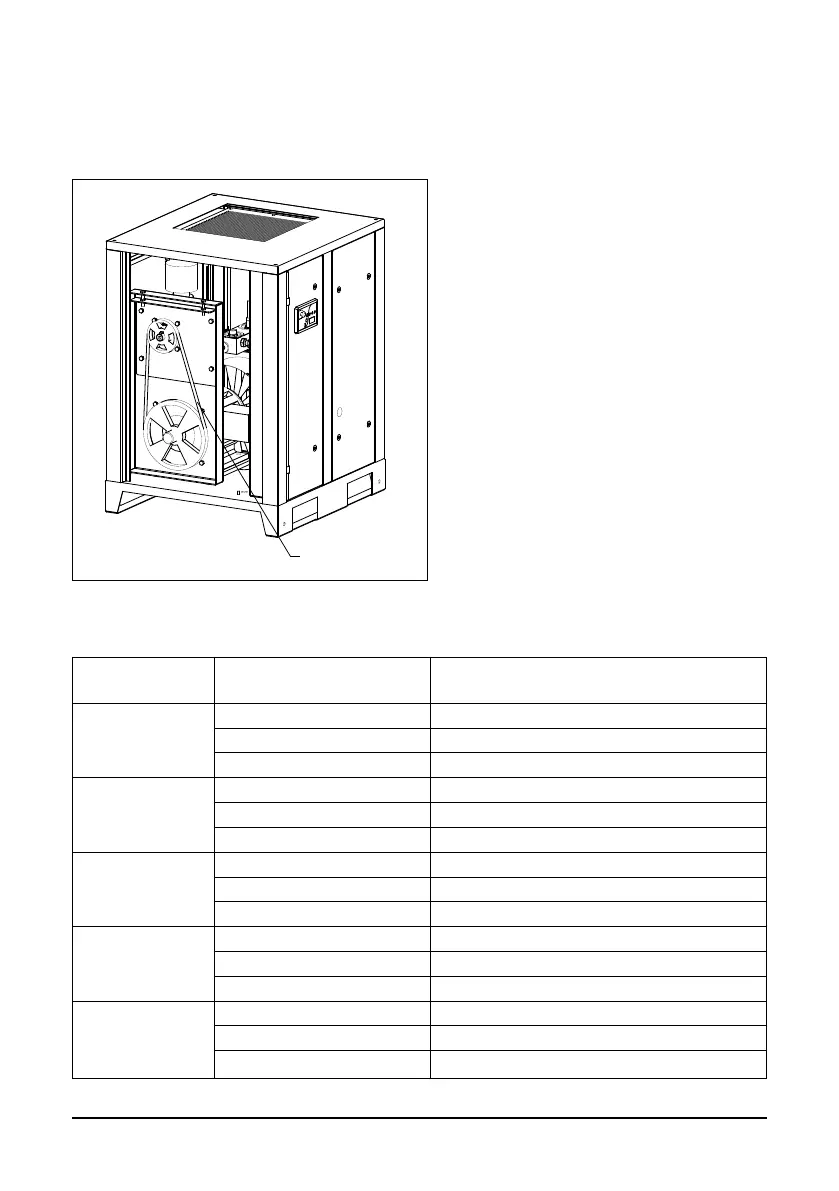
Check on a monthly basis drive belts condition and the tension on drive belts.
1
Fig. 5.2 Checking drive belt
Using belt tension gauge, check the tensile force of the compressor belts.
Model Maximum working pressure,
bar
Tension force F,
N
A07, AR07, ARD07
8 300
10 300
13 400
A11, AR11,
ARD11
8 250
10 250
13 300
A15, AR15,
ARD15
8 250
10 300
13 300
A18, AR18,
ARD18
8 250
10 300
13 300
A22, AR22,
ARD22
8 400
10 450
13 500
In order to access the belt, stop the com-
pressor and remove the left side panel.
Inspect belts (1) for signs of wear on side
edges and for cracks.
If belts are damaged, then they should
be replaced.



 To Next Page