6
Setting up the printer
Installing the Ribbon Cartridge
Make sure the printer is turned off. If the printer is connected to an electrical
outlet, unplug it from the outlet.
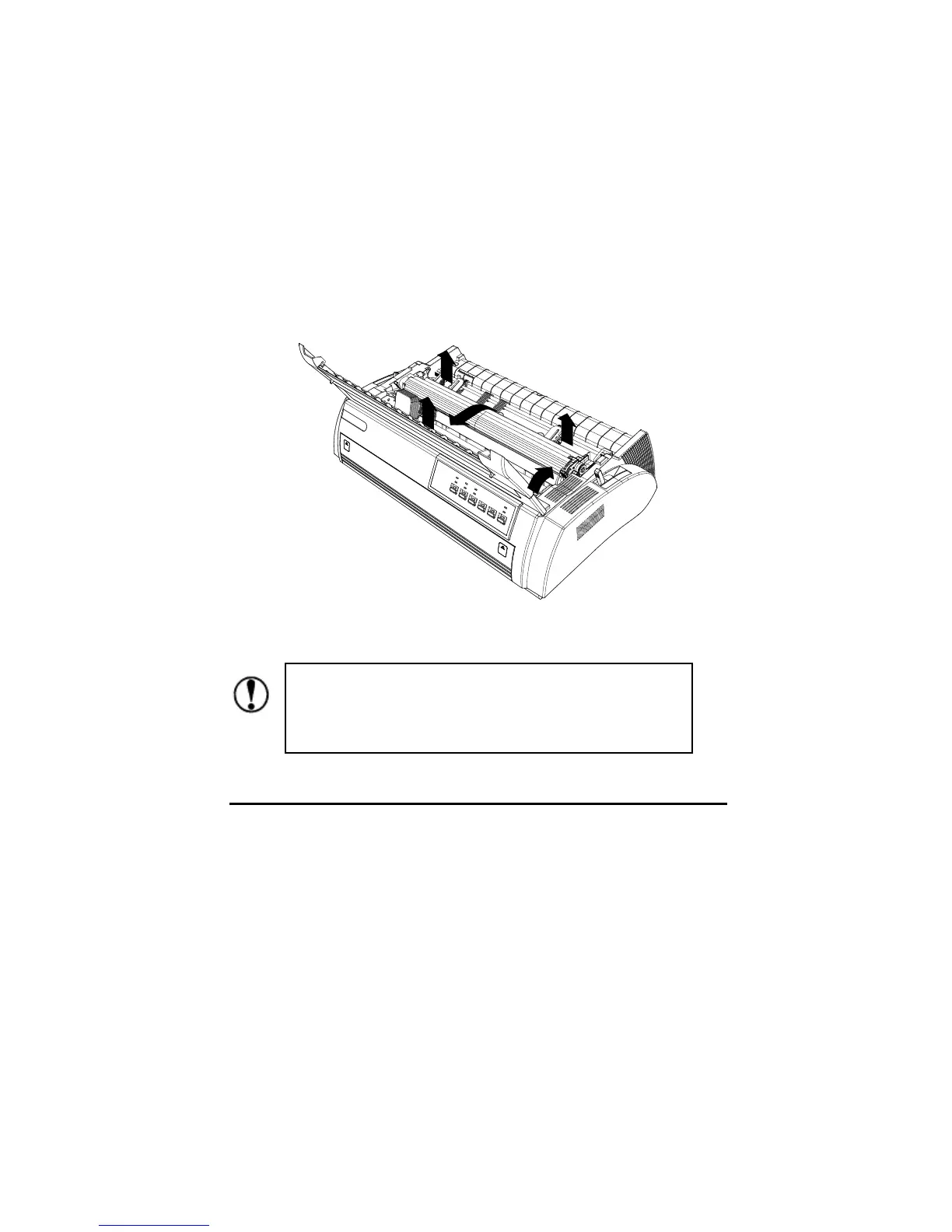
1. Take out the printer cover unit, pinch the tabs on each side of the paper
tension unit then lift the unit up and off the printer.
2. Slide the print head to the middle position.
Moving the print head while the printer is ON may damage
the printer. Furthermore, if you have just used the printer,
the print head may be hot; let it cool down for a few minutes
before touching it.



 To Next Page