14
Connecting to Host
If the result of the self test is satisfactory, you can connect the printer to the
host.
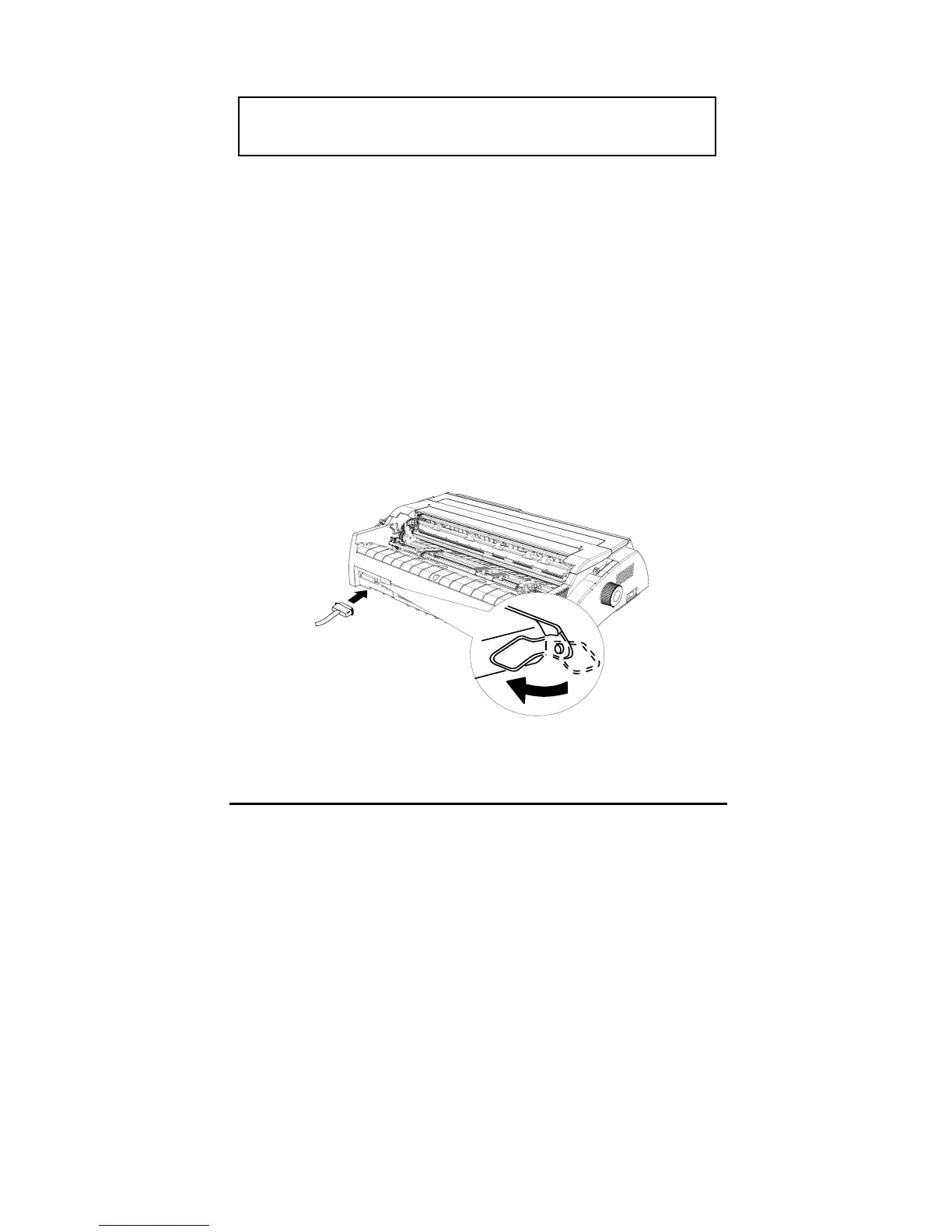
Parallel port
Follow the steps below to connect the printer to your computer using the
parallel interface
:
1. Make sure both the printer and computer are turned off. Plug the cable
connector into the printer’s interface connector, and squeeze the wire clips
together until they lock in place on both sides of the connector.
2. Plug the other end of the cable into the host.
USB interface (option)
If the self test does not print properly, please refer to the
“troubleshooting” chapter



 To Next Page