23
COMUNELLO ®Copyright 2019 - All rights reserved
ENGLISH
5 DESCRIPTION AND PROGRAMMABLE FUNCTIONS
The control panel has a MAIN MENU and two sub-menus called EXTENDED MENUS to customize the programming and the various system
functions.
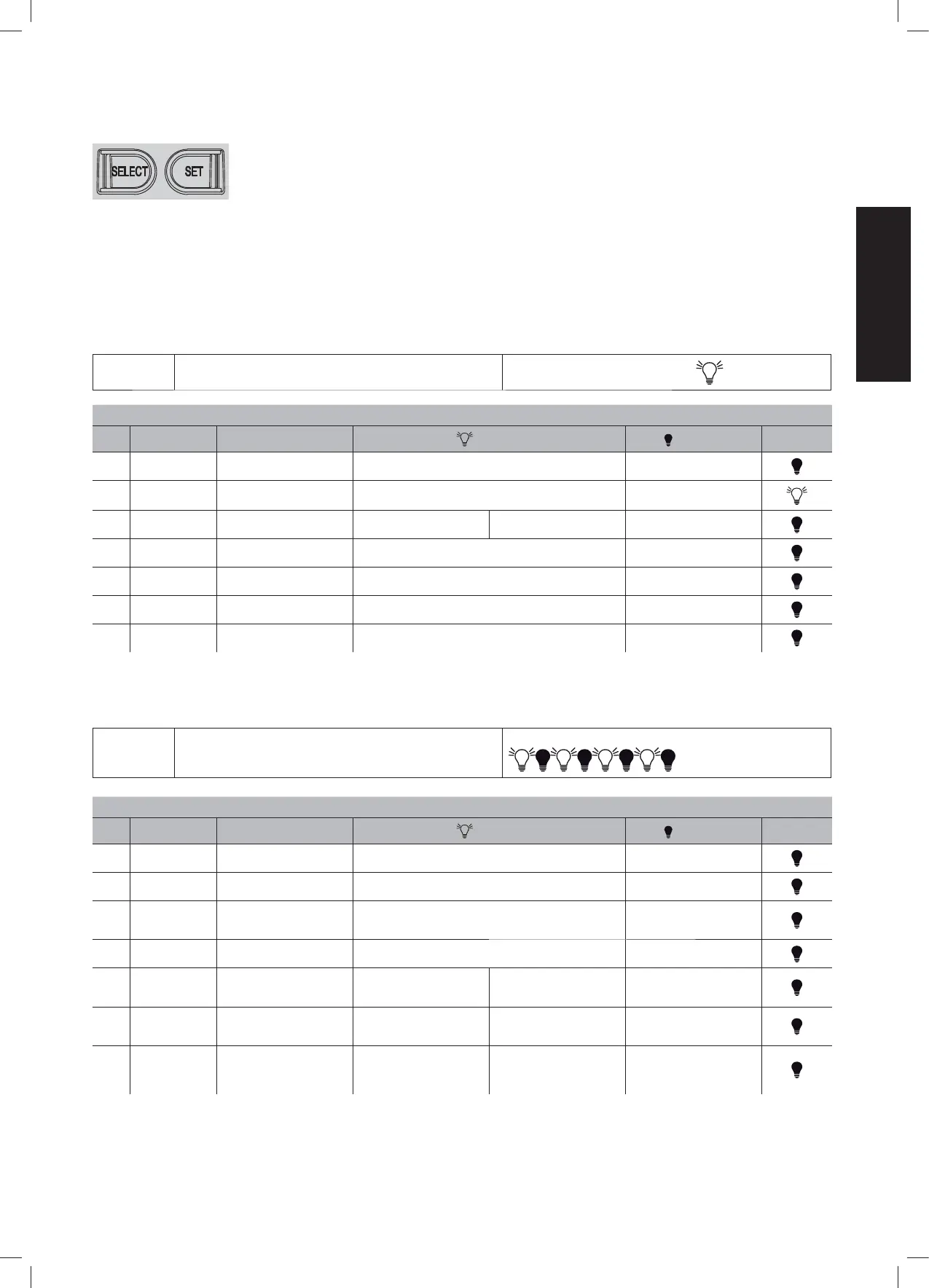
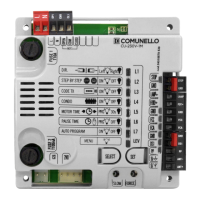
Pressing the SELECT button several times in succession you can scroll through the menu displayed by the 7 LEDs to choose the desired
function (ashing LED correspondingly ashing) and change its functionality with the SET button (the LED becomes xed with function
enabled or, conversely, off with function disabled).
The rst available menu is the MAIN menu summarized in Tab no. 2:
MAIN MENU
• Press the SELECT button and select the desired function from
the main menu.
The LEV function LED stays on FIXED:
LIVEL 0 - MAIN MENU
LED FUNCTION DESCRIPTION LED ON LED OFF DEFAULT
L1 DIR. Motor opening direction (internal
view)
Opens to left (FORT) Opens to right (FORT)
L2 STEP BY STEP Control logic Open-stop-close-stop (closes in pause in partial opening) Automatic (Open-Close)
L3 CODE TX Storage of remote controls TX PP TX P.PED Empty storage
L4 CONDO Activate the "Condominium"
function
After the rst one, the other inputs are ignored during the opening and
the pause time
Disabled function
L5 MOTOR TIME Storage of the motor stroke with
slowdowns
Stored stroke 30 seconds, without slowdown
(default)
L6 PAUSE TIME Automatic closure time setting Programmed automatic closure time Disabled function
L7 AUTO PROGRAM Self-learning of the stroke with
slowdowns
Memorized self-learning of the stroke Disabled function
TAB.02
The Second menu is the one dened as EXTENDED 1 and to access the programmable functions follow the instructions given in Tab. 3:
EXTENDED
MENU 1
• Press the SELECT button and scroll the LED menu until you
reach the LEV LED;
• Press SET once to access the EXTENDED menu 1.
The LED of the LEV function FLASHES with this frequency
LIVELLO 1 - EXTENDED MENU 1
LED FUNCTION DESCRIPTION LED ON LED OFF DEFAULT
L1 PHOTOTEST Carry out the Photocell test before
each movement
Enabled function Disabled function
L2 PEDESTRIAN TIME Regulation of Partial stroke (in
seconds of movement)
Programmed PEDESTRIAN work time 10 seconds, without slowdown
(default)
L3 STEP BY STEP 1 Open-Stop-Close-Stop (It DOE-
SN'T close after the pause time in
a partial opening phase)
Disabled function
Step-By-Step logic
L4 ELECTRONIC
BRAKE
Electronic brake enabling Enabled function Disabled function
L5 RELEASE STROKE
MAX FORCE/ RELE-
ASE STROKE
Activation of the push in opening
for electric lock release
Enabled function at the max
FORCE
Enabled function - FORCE
trimmer
Disabled function
L6 SLAM LOCK MAX
FORCE / SLAM
LOCK
Activation of the push in closing
for electric lock release
Enabled function at the max
FORCE
Enabled function - FORCE
trimmer
Disabled function
L7 PREFLASH /
COURTESY LIGHT
PRE-FLASH/ COURTESY LIGHT
Pre-ashing function or courtesy
light
3 sec. of pre-ashing 3 min. activation of the lamp
TAB.03


 To Next Page