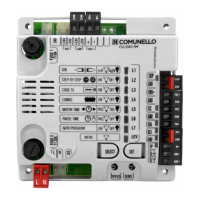
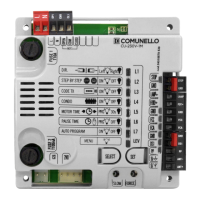
Need help?
Do you have a question about the Comunello CU-24V-2M and is the answer not in the manual?
Lists key technical parameters of the control unit, including voltage, power, and dimensions.
Ensures the product is intact and the installation site is suitable before proceeding.
Provides basic steps for mounting the control unit and preparing for cable entry.
Details the wiring terminals (CN1, CN2) for various components like batteries, lights, motors, and safety devices.
Specifies the connections for the main power transformer primary and secondary windings.
Describes the general operation of the control unit, particularly automatic operation.
Explains how the control unit manages gate movement with sequential commands.
Details the setup and operation of the automatic gate closing feature.
Covers safe installation and operation of photocells, including specific safety inputs (SAFE1, SAFE2).
Describes how to connect and use a timer for automated gate control cycles.
Details the voltage-free output for powering an electric lock.
Explains the connection and function of the backup battery for emergency power.
Covers the general process of selecting and setting functions using SELECT and SET keys.
Lists and describes the functions available in the main menu configuration.
Details how to save and delete remote control codes, including fixed and rolling types.
Explains the function that temporarily disables commands during opening.
Guides on setting the operating time for the motors, including deceleration.
Covers setting the automatic closing delay time for the gate.
Describes the simplified procedure for automatically setting motor run and deceleration times.
Enables a test of the photocell function before each movement.
Sets the specific motor operating time for pedestrian access.
Allows inhibiting or enabling the deceleration stage during movement.
Gradually reduces operator force to zero at the end of movement.
Modulates operator start-up force for smoother initial movement.
Modifies the DS1 input to also function during gate opening.
Requires constant command to move the gate; stops when released.
Re-closes the gate 5 seconds after user passage via photocell.
Enables the flashing light output during the pause time.
Automatically closes the gate after a power failure if open.
Allows programming of operator force levels during deceleration.
Restores the control unit to its factory default settings.
Details self-tests for photocells and checks on command input status.
 General
| Brand | Comunello |
|---|---|
| Model | CU-24V-2M |
| Category | Control Unit |
| Language | English |

 To Next Page