Remote View Setting
21
Note: Before you connect the WiFi Cam to your
WiFi router for remote viewing, please make
sure you have already connected your mobile
/smart phone as directions above.
1.Connect the Camera to WiFi Router
Connect the WiFi Cam to your WiFi router to
remotely view the WiFi Cam on your mobile/
smart phone.
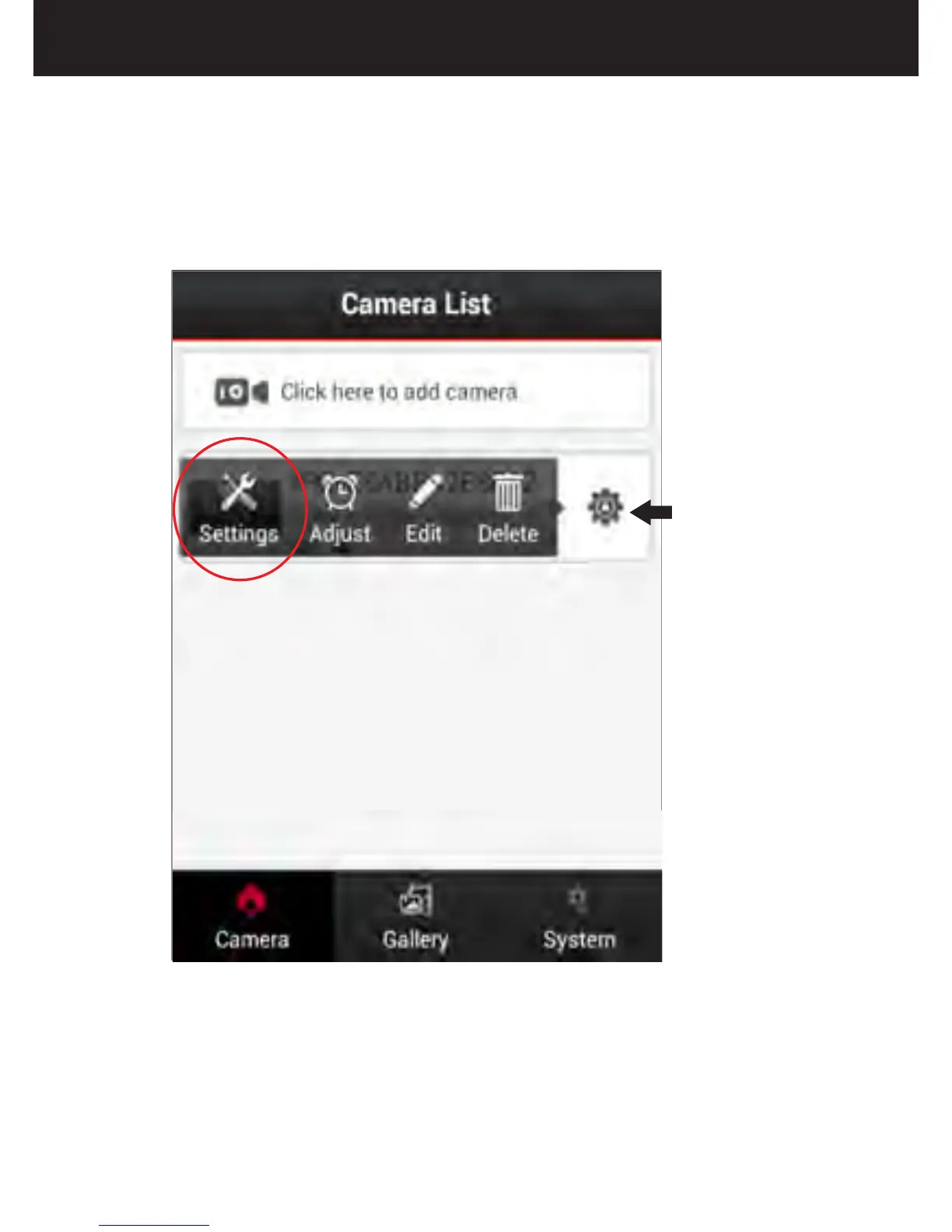
Click here
Click the gear tool to view and choose settings.


 To Next Page