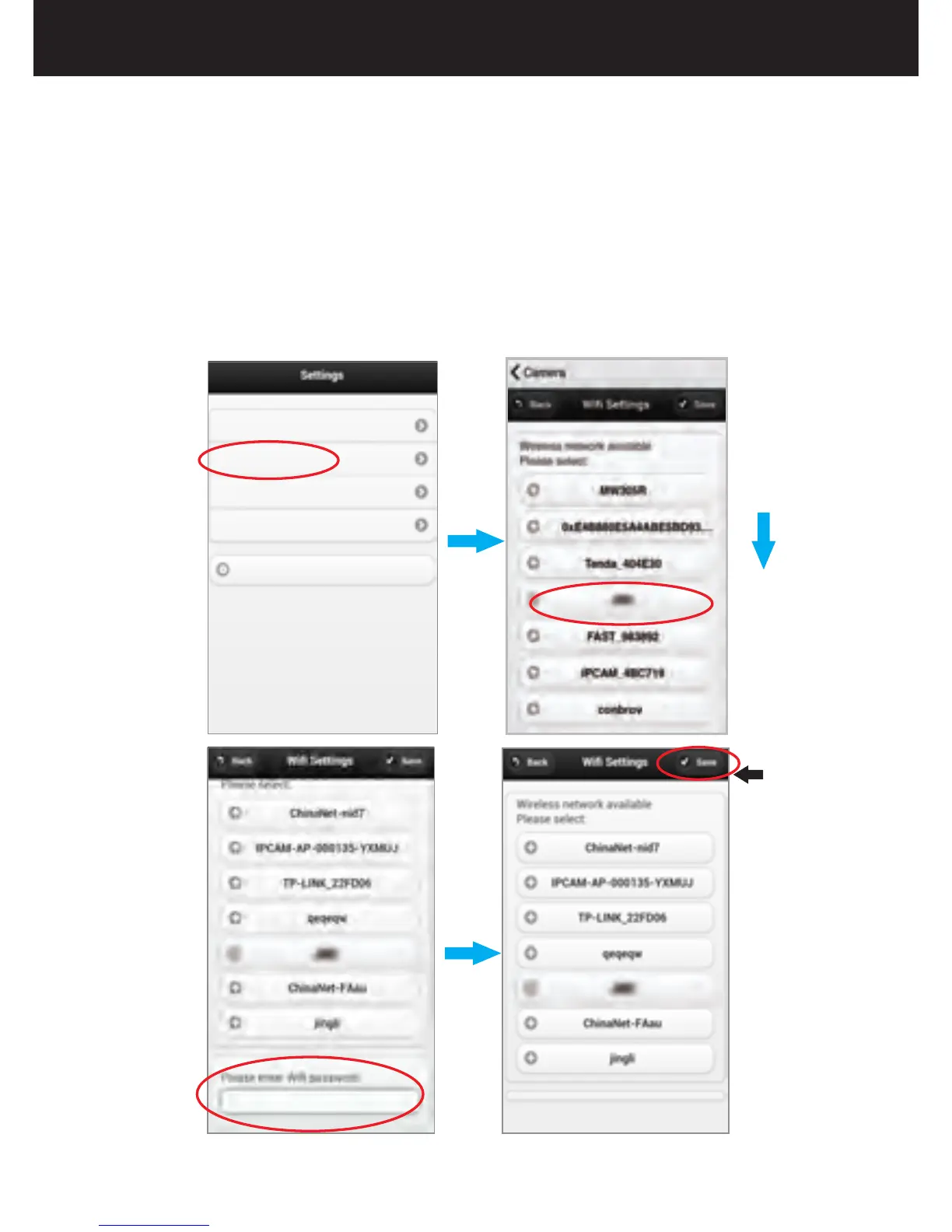
2.Choose Your WiFi
Choose WiFi Settings and choose your local WiFi
name. Input your WiFi password and then Tap
“Save”.The camera will be restarted, the LED will
flash blue and then turn off, after that, the LED will
flash yellow and then turn off, which indicates the
camera is in the Wifi Connection Mode. You can
view remotely when you are not around.
User Settings
Wifi Settings
Mail Settings
Alarm Settings
Restore default
Choose your own WiFi
Input your WiFi password
Click
“save”
22
Remote View Setting


 To Next Page