Network Video Recorder(NVR)
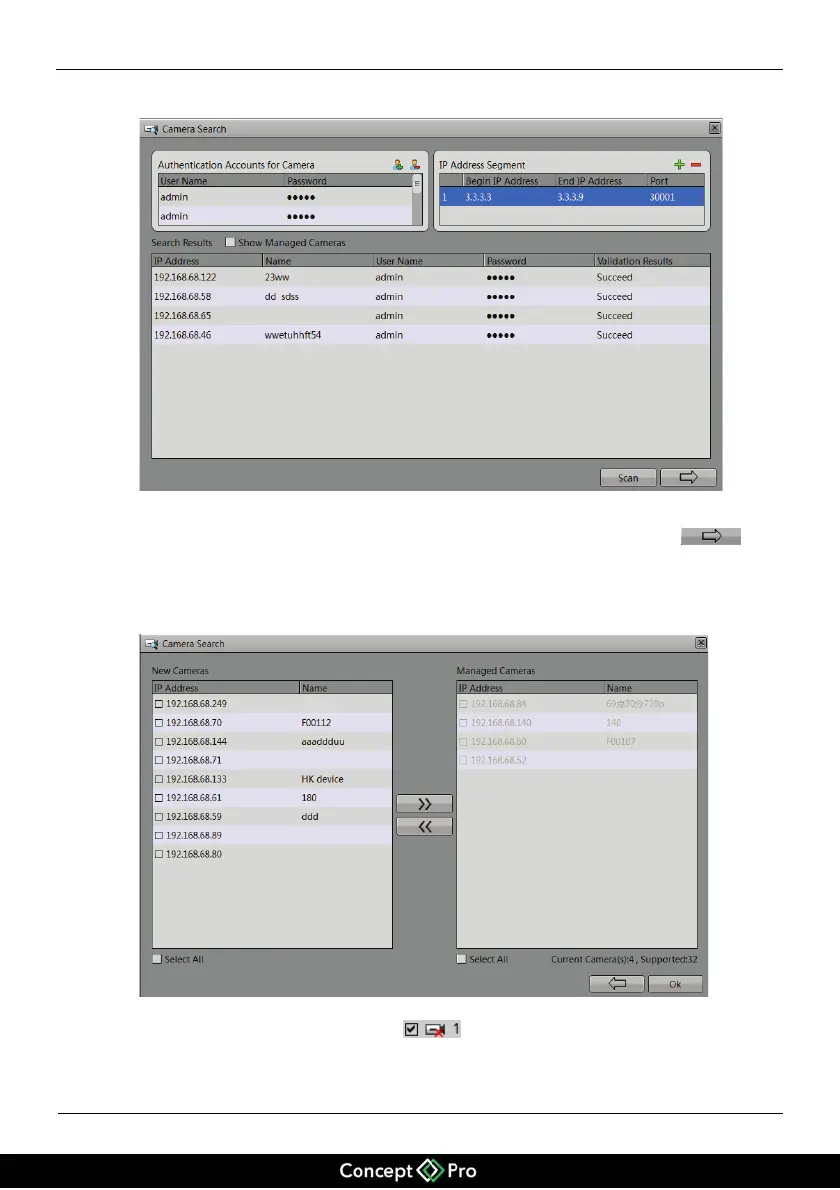
Figure 5-4 Page for searching cameras
Click ‘Scan’ to search the network (either local or open) for cameras. Click
to
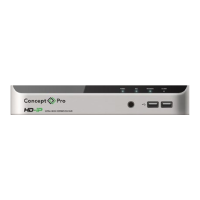
go to camera management selection page, the page is displayed as shown in Figure 5-5.
Select the cameras you want and then click Ok to complete selection of IP cameras.
Figure 5-5 Page for selecting cameras
To remove managed cameras, click
in the camera list, select the cameras to
be removed, and click Left Arrow button to remove the camera from the management
list.


 To Next Page