Your ConceptD notebook tour - 13
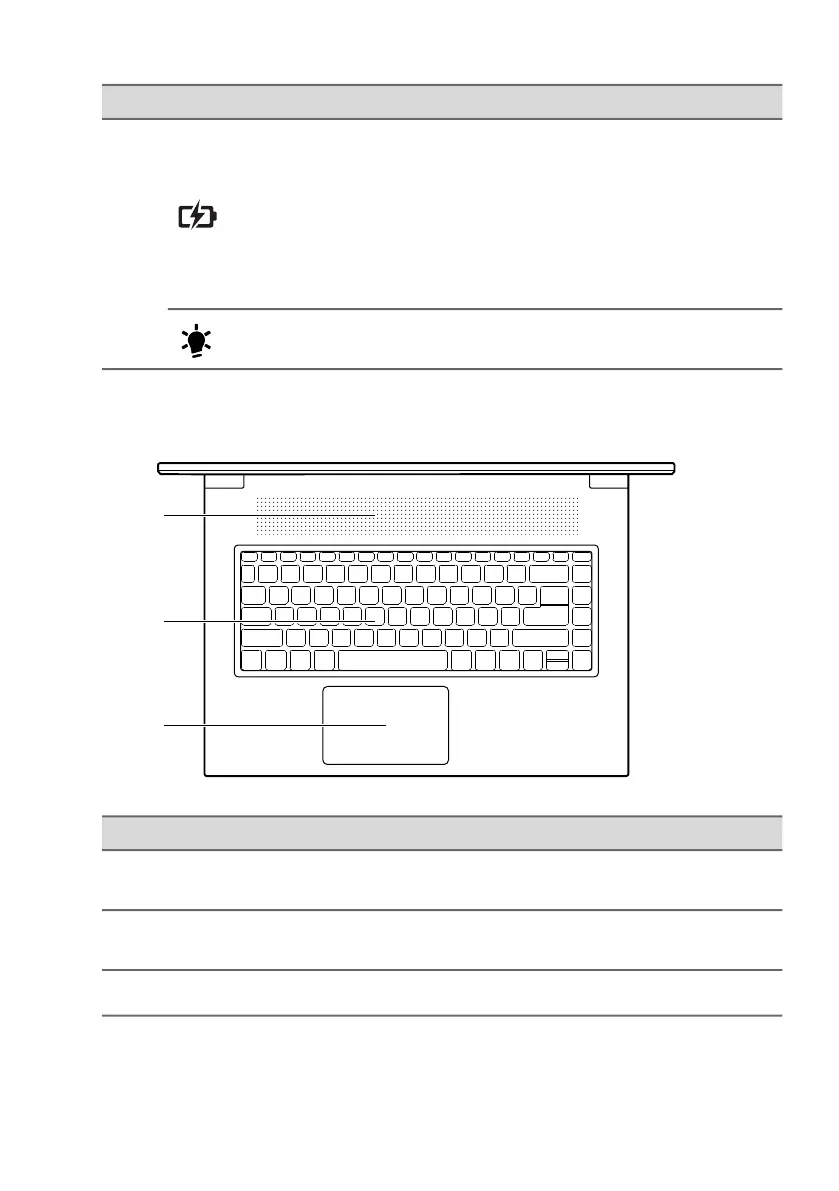
Keyboard view
5
Battery indicator
Indicates the computer’s battery
status.
Blinking Amber when the battery is
charging or reaches the low battery
level.
Amber when fully charged (with the
AC adapter plugged in).
Power indicator
Indicates the computer’s power
status.
# Icon Item Description
1
Ventilation and
cooling fan
Allows the computer to stay cool.
Do not cover or obstruct the openings.
2 Backlit keyboard
For entering data into your computer.
See "Using the keyboard" on page 17.
3 Touchpad Touch-sensitive pointing device.
# Icon Item Description



 To Next Page