ConceptD Palette - 49
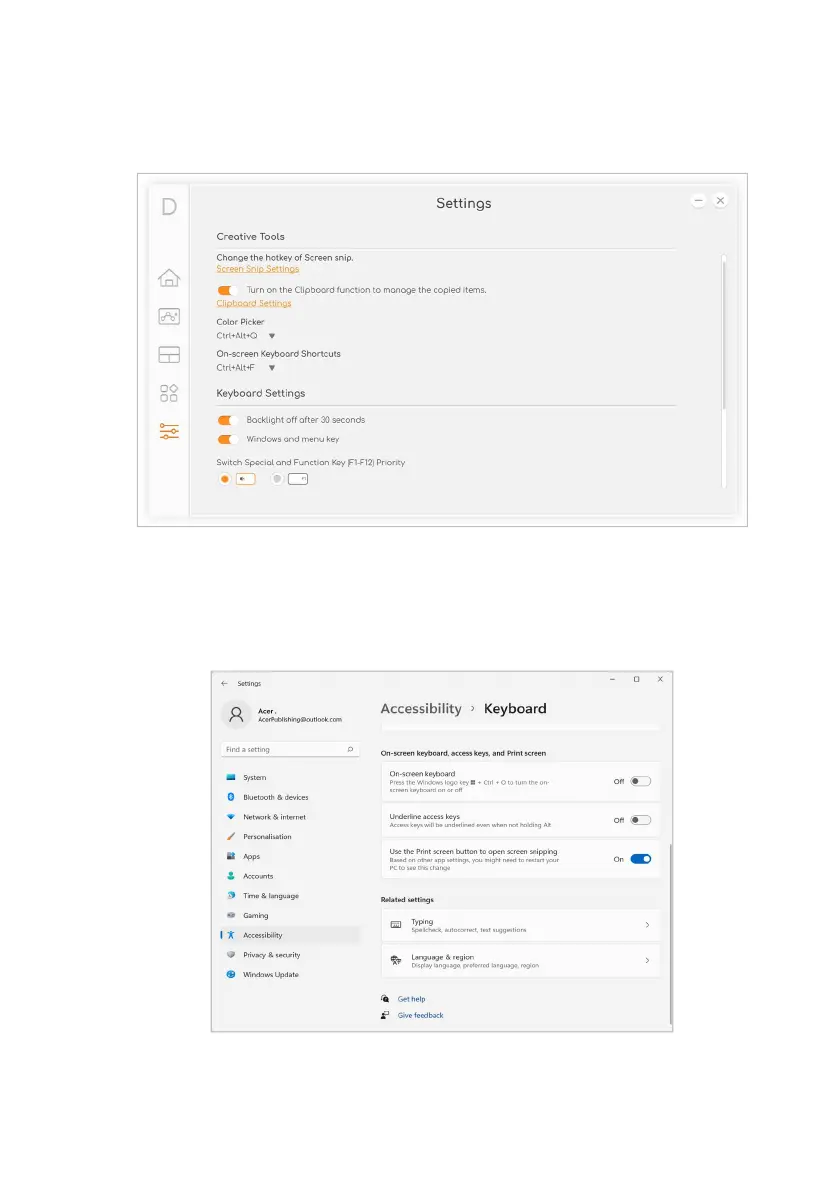
Enable PrtScn Key to launch Screen Snip tool
Select Screen Snip Settings to change the hotkey of Screen snip.
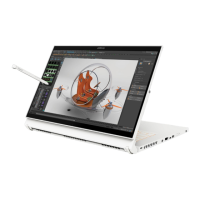
Scroll down to On-screen keyboard, access keys, and Print screen
section in Keyboard settings. Turn on the option from Use the Print
screen button to open screen snipping. Then, you can press PrtScn
key to capture the screen in different types.


 To Next Page