Conceptronic C54BRS4A User Manual
13
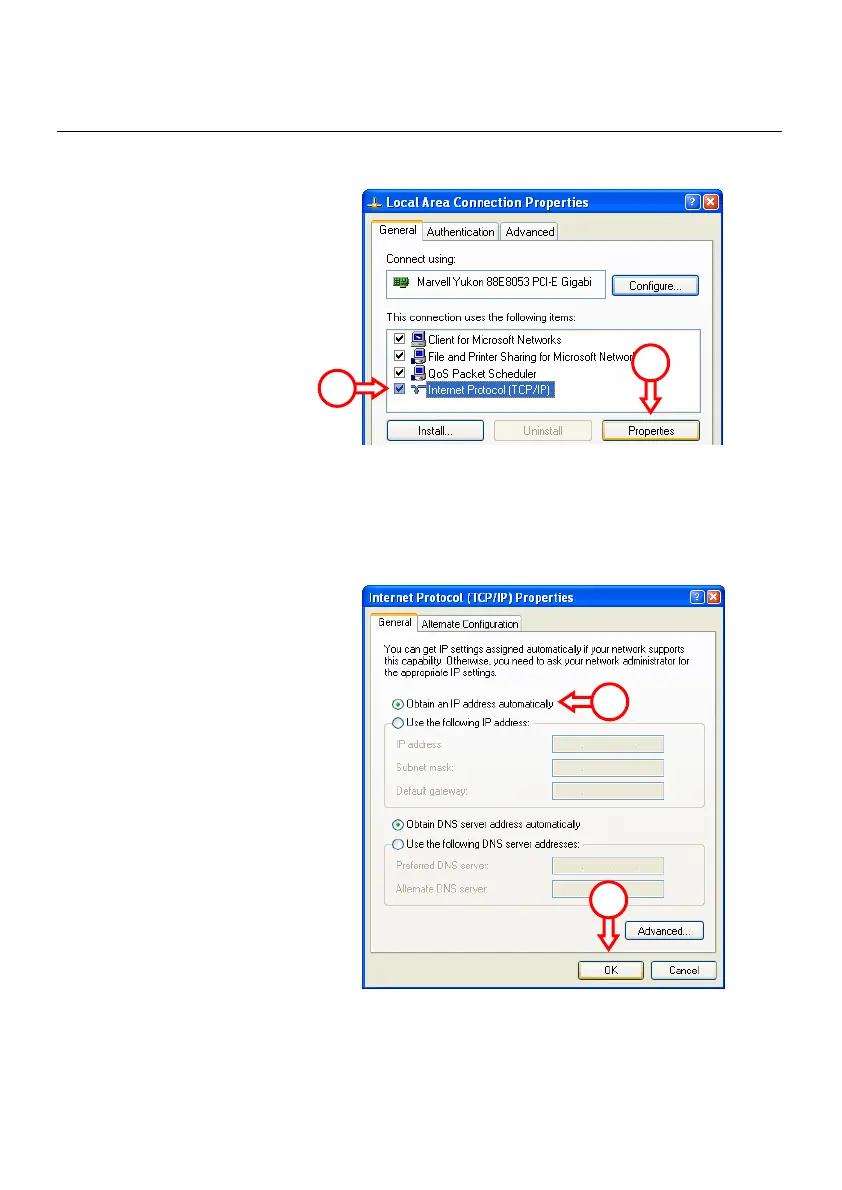
The Properties window of your Local Area Connection will appear.
D. Select the “Internet Protocol
(TCP/IP)” and click
“Properties”.
The Properties window of the Internet Protocol (TCP/IP) will appear.
E. Set the properties to “Obtain
an IP address automatically”
and press “OK” to save the
settings.
F. Press “OK” in the properties
window of the Local Area
Connection to save the settings.
D
D
E
E



 To Next Page