Conceptronic C54BRS4A User Manual
8
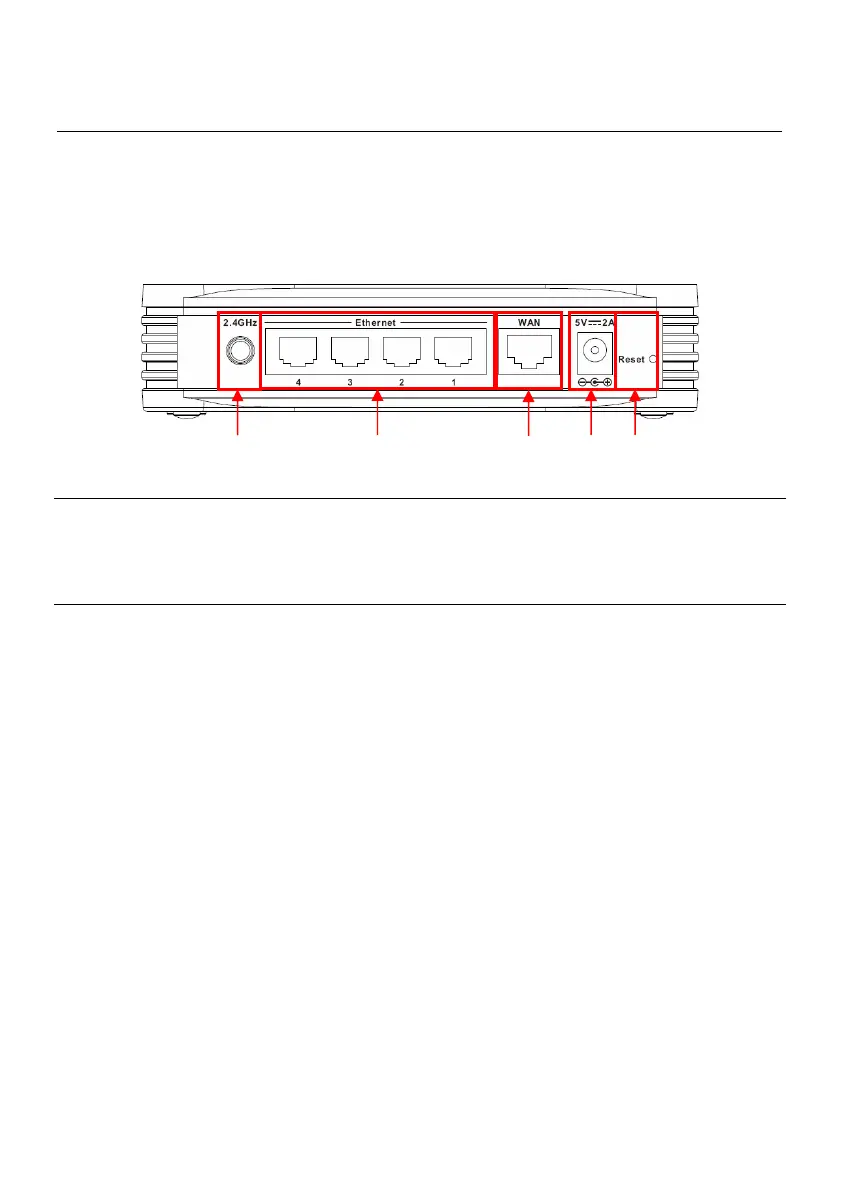
Rear Panel Cable Connections
Connect the power adapter cord and network cables on the rear panel. The power switch and reset
button are also located on the back of the device. Connect the antenna to the antenna post.
Nr Description Explanation
1 Antenna Connection Reverse-SMA Connector for Wireless Antenna
2 LAN Ports Connect your Computer(s) to the router
3 WAN Port Connect your Broadband connection to the router
4 Power Connection Connect the Power Supply to the router
5 Reset Button Reset the router to the Factory Default Settings
2
1
3
4 5



 To Next Page