Conceptronic C54BRS4A User Manual
12
Computer Configuration
Configure your IP address
The C54BRS4A is equipped with a build-in DHCP Server. The DHCP Server will automatically assign
an IP address to a connected computer if the connected computer is set to “obtain an IP address
automatically”.
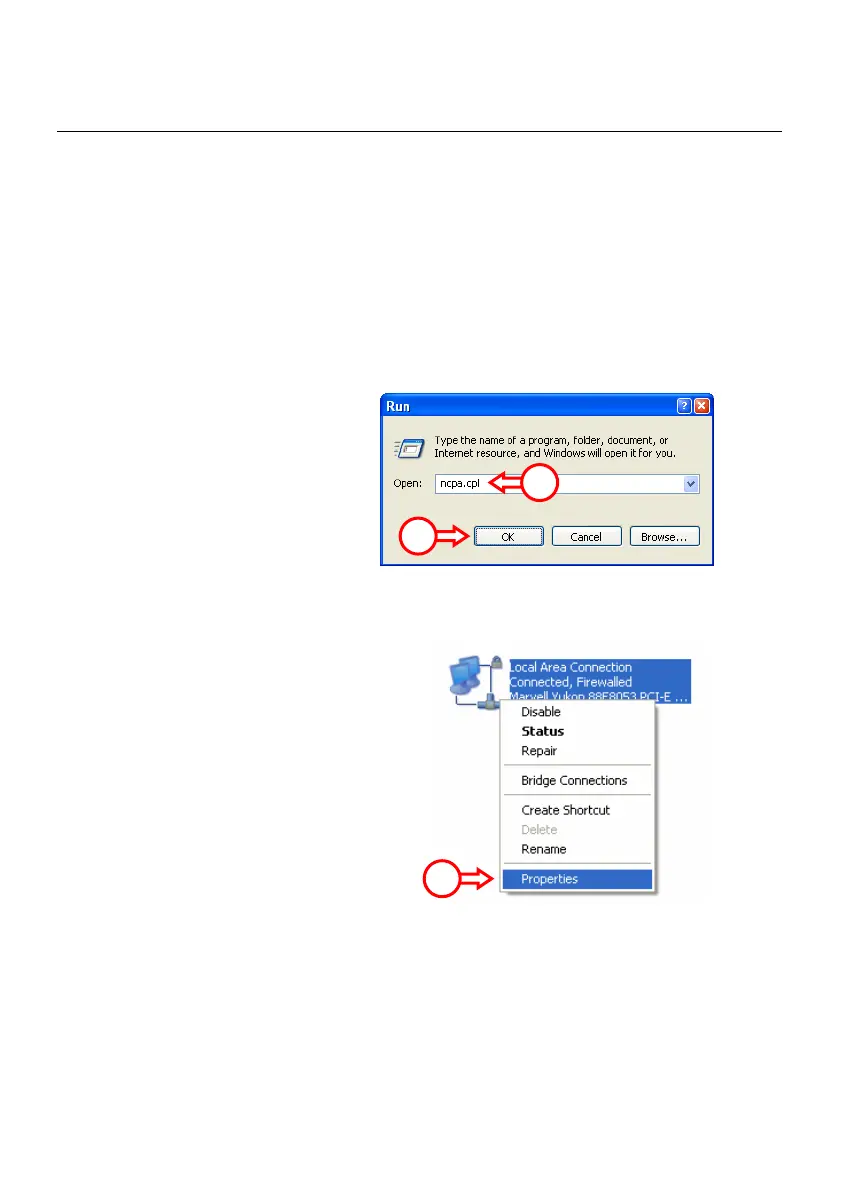
To configure your computer for Automatic IP follow the instructions below:
A. Click “Start” Æ “Run”.
B. Enter the command “NCPA.CPL”
and press “OK”.
The Network Connections window will appear.
C. Right click your “Local Area Connection”
(Wired or Wireless, depending on the
connection you use) and select
“Properties”.
B
B
C



 To Next Page