Conceptronic C54BRS4A User Manual
19
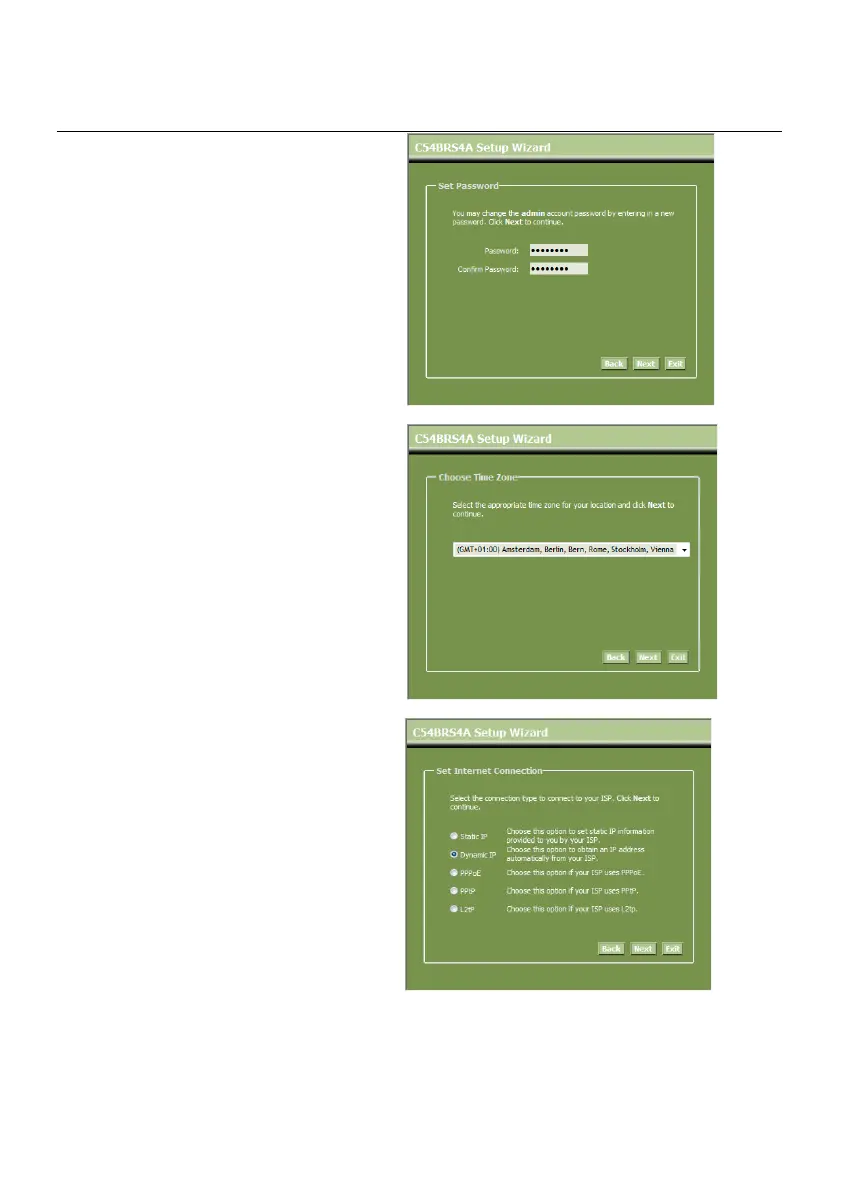
B. You are recommended to set an
admin password here. Enter the new
password and re-enter it for
confirmation.
When completed, click “Next”.
C. For system management purpose, a
correct time setting is critical to have
accurate time stamps on the system
logs.
Set an appropriate Time Zone in this
step.
When completed, click “Next”.
D. Select the Internet Connection
method which corresponds with your
provider settings.
If you don’t know which option you
need for your internet connection,
please check the documentation of
your provider or contact your
provider helpdesk.
When completed, click “Next”.



 To Next Page