10
PREPARING THE CAMERA
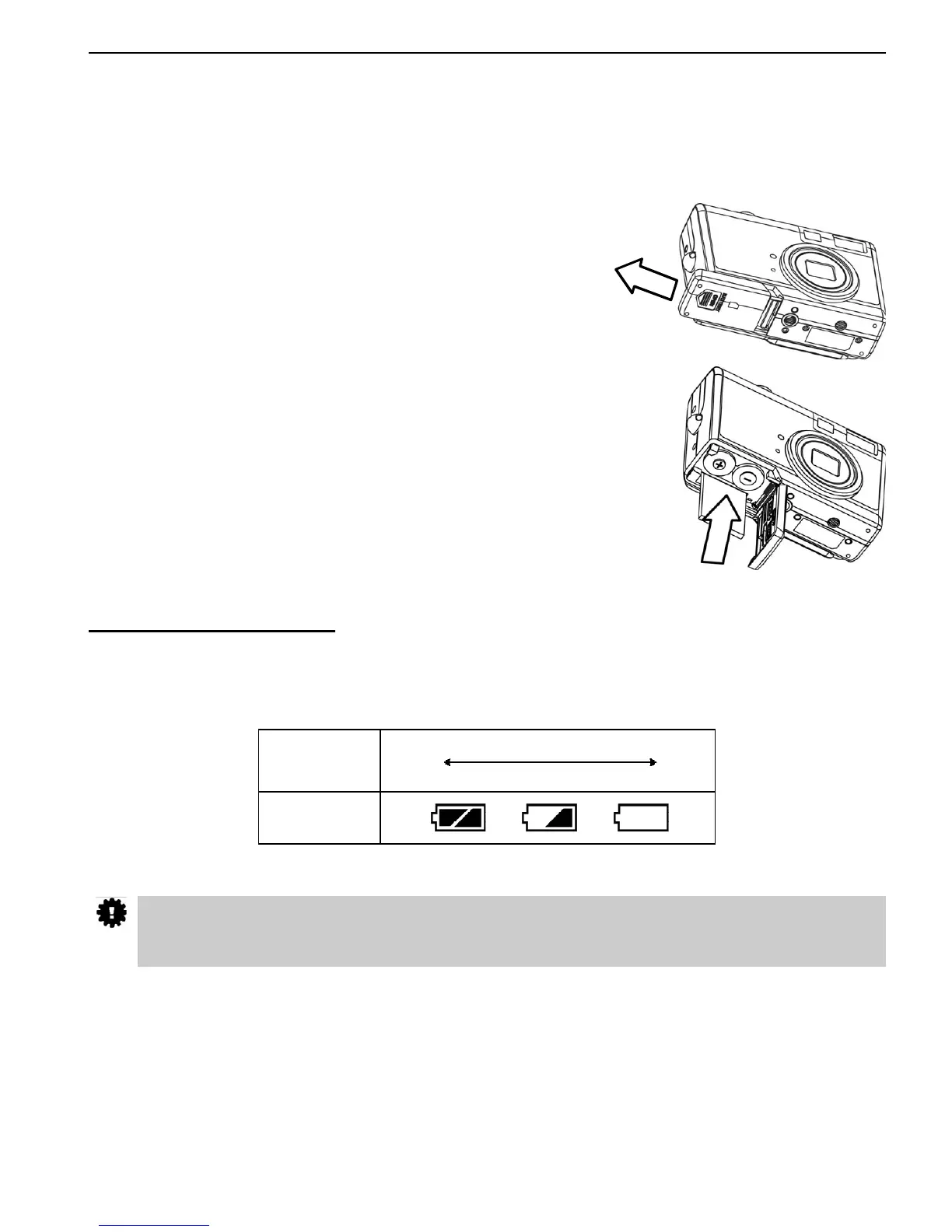
INSTALLING THE BATTERIES
Insert two (2) AA-size batteries (Alkaline or Ni-MH rechargeable).
1. Be sure that the camera power is off.
2. Slide the Battery/Memory Card door in the direction of the
arrow, and lift it open.
3. Insert two AA batteries with the positive (+) and negative (-) poles
matching the directions indicated inside the battery cover.
4. Close the Battery/Memory Card door.
Battery Status Indications
The battery power level indicator represents the level of power of the batteries. The meaning of each
icon is as follows:
Charge
Level
High
Low
Indicator
If POWER button is pressed for over 1 second but the camera still does not power on, the
batteries may be drained. Replace the batteries with new ones and try again.
PREPARING THE CAMERA











 To Next Page