27
5.2.4 Capture
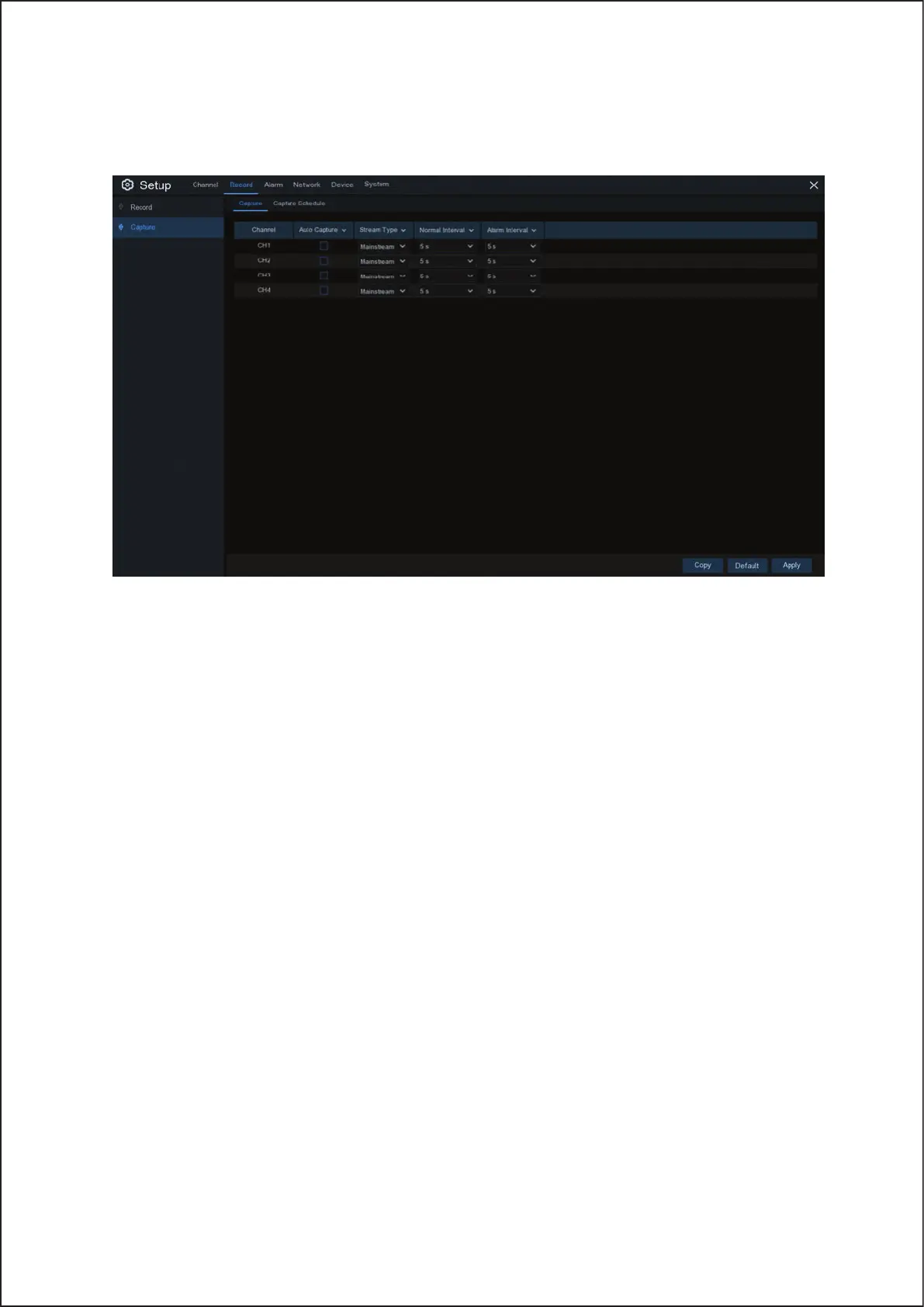
This menu allows to configure the image capture function.
Auto Capture: Enable or disable automatic capturing on the channel. When this feature is enabled, you can select
the snapshot capturing interval.
NOTE: When the Auto Capture is enabled, you can select the image capturing interval.
Stream Mode: Select the image resolution by mainstream or substream.
Normal Interval: Snapshots are captured based on normal interval.
Alarm Interval: Snapshots are captured based on alarm interval only when a motion is detected.
25



 To Next Page