36
10. Access to the Router’s Webinterface
The router is configured via the integrated web interface. The following description refers to
Internet Explorer. Of course, the configuration can also be performed in any other web
browser. However, we recommend that you always use the most current version of the
respective browser.
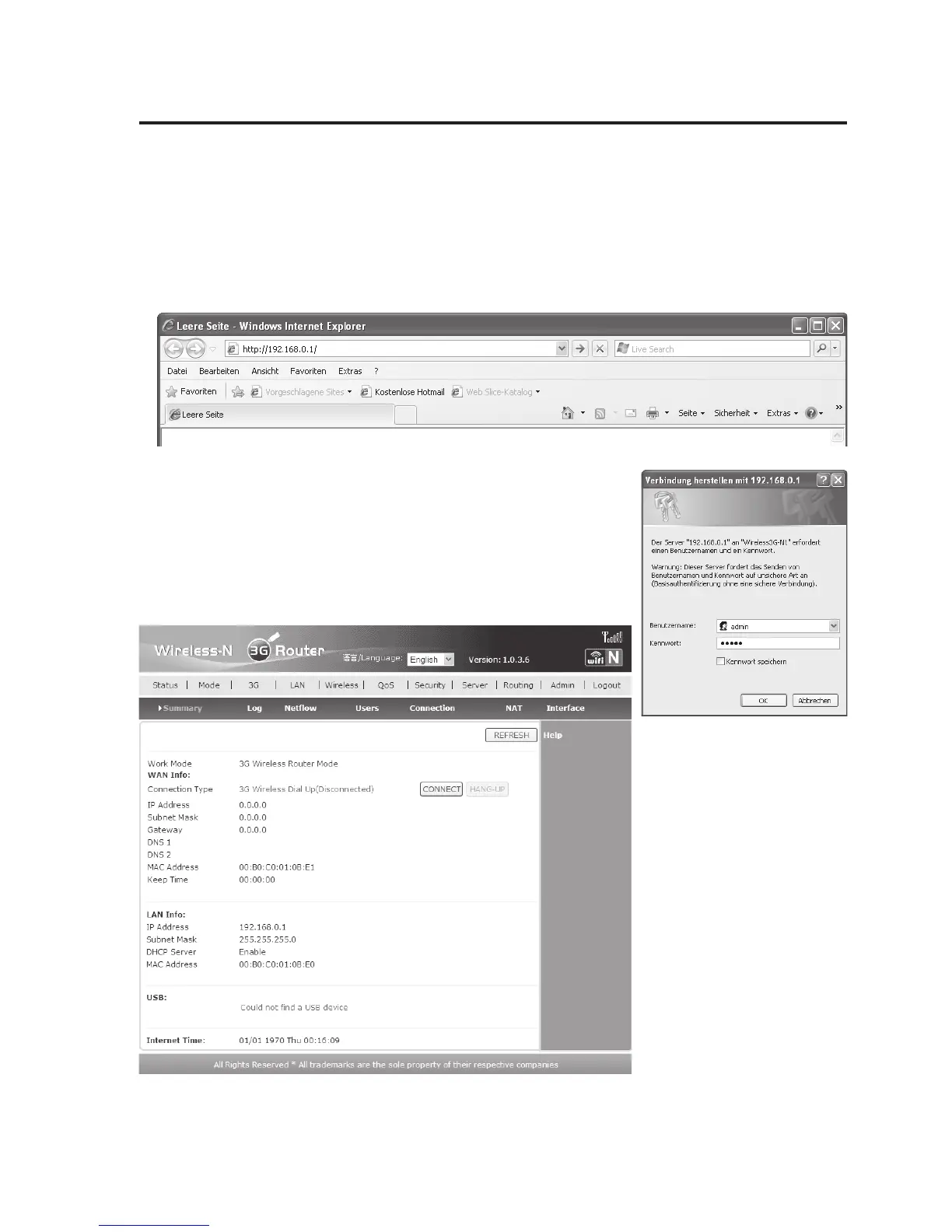
• Start Internet Explorer and enter the router’s IP address in the address bar. At delivery or
after reset, it is 192.168.0.1. Then press enter.
• The login window of the webinterface opens; see figure on the
right. Enter your user name and password. Both is “admin” at
delivery or after reset.
Then click “OK”.
• The web browser window
now displays the
webinterface, see figure
on the left.
• Now you can start
configuring your router.


 To Next Page