37
11. Configuration of the Operating Modes in the
Webinterface
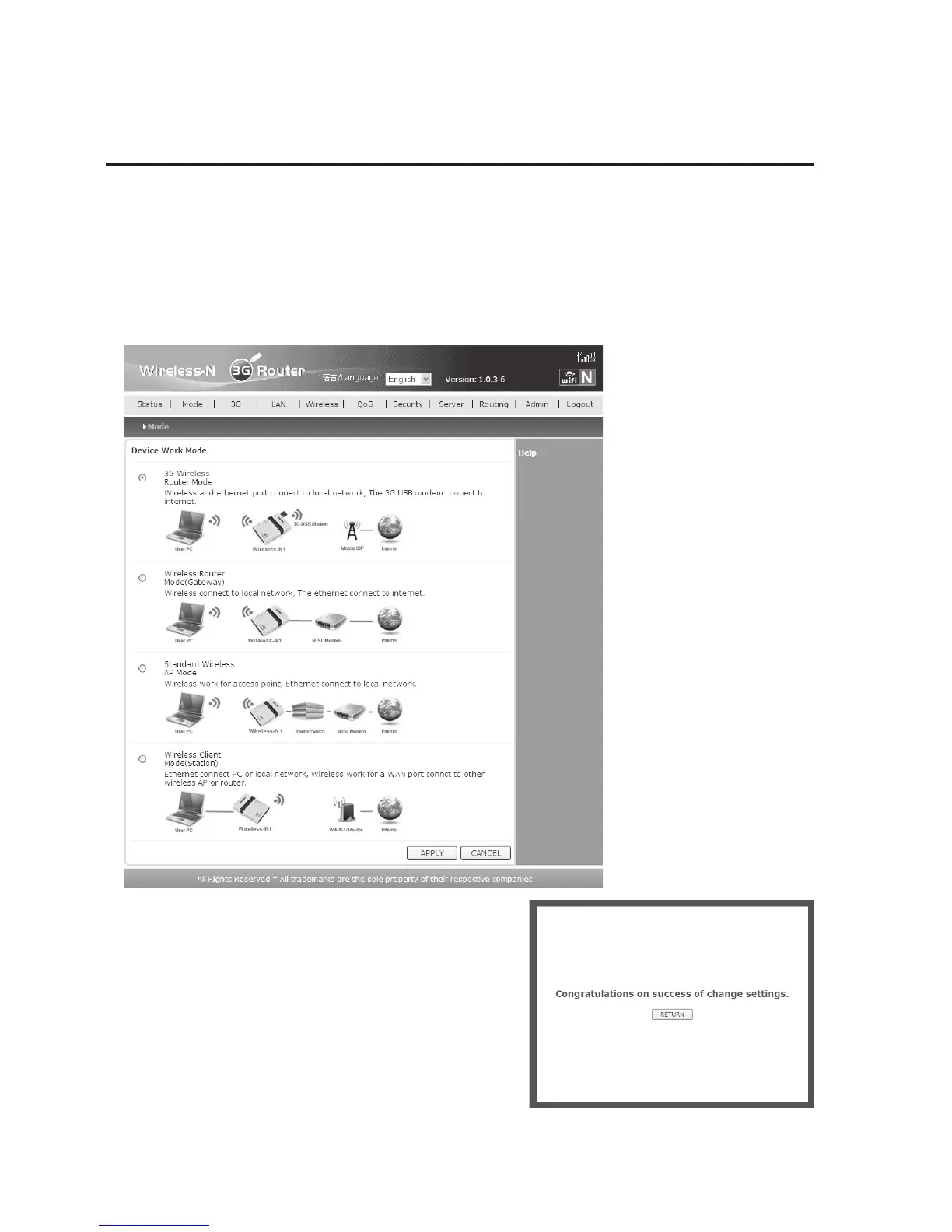
a) Operating Mode “3G Wireless Router Mode”
• If the router’s operating mode is already set to “3G” or if you already set it to “3G” manually,
you no longer need to change it in the webinterface.
Otherwise, click “Mode” and then select the operating mode “3G Wireless Router Mode”.
Confirm with “APPLY”.
• Before clicking “RETURN” in the next window, wait
for a few seconds because the WLAN connection is
briefly interrupted depending on operating mode.
Observe the indication of the wireless network icon
in the Windows task bar.


 To Next Page