42
d) Operating Mode “Wireless Client Mode (Station)”
Please observe that you need to perform configurations via a network cable here!
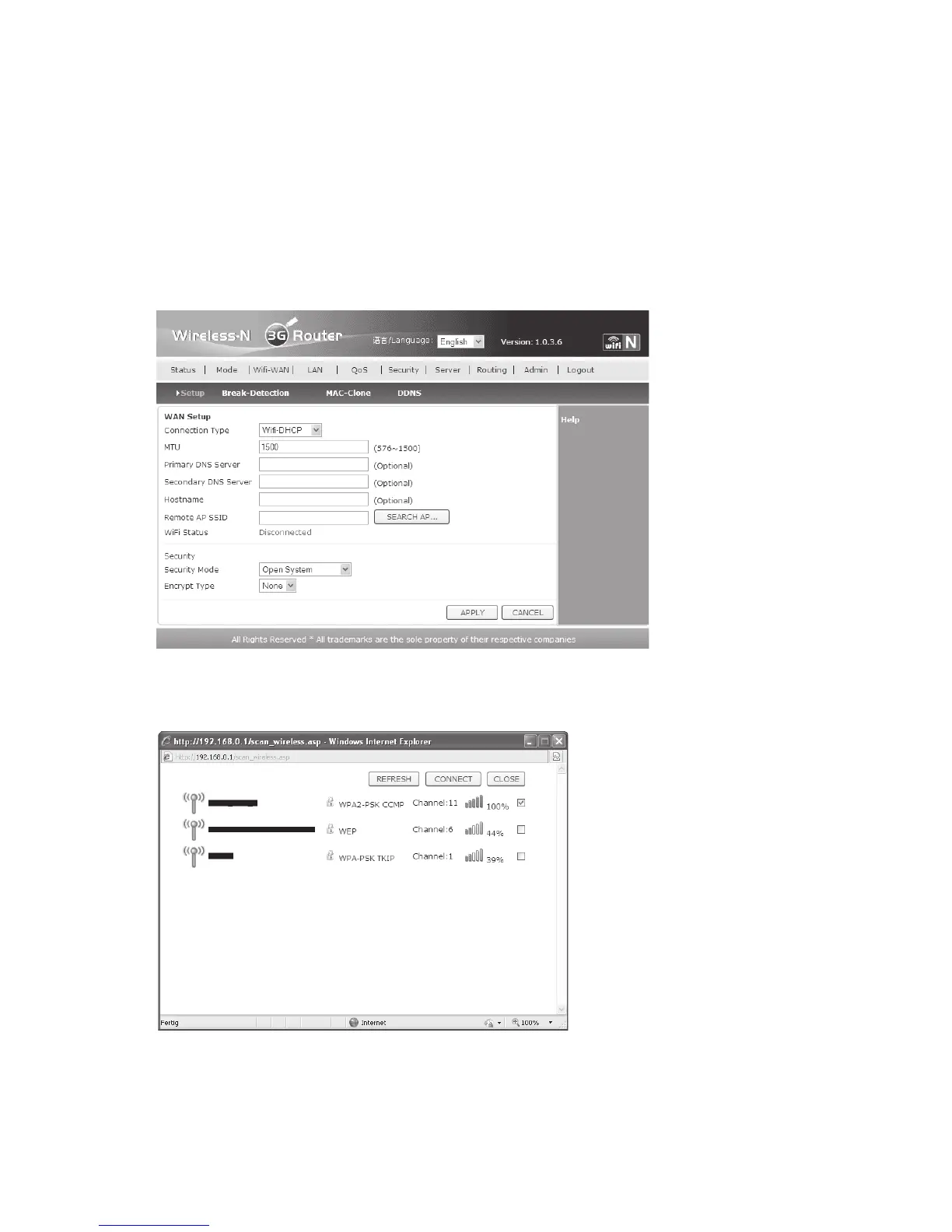
• If the operating mode of the router is not yet set to “Station”, click “Mode” in the webinterface
and then select the operating mode “Wireless Router Mode (Station)”. Confirm with
“APPLY”. Wait for another few seconds before clicking “Return”. Observe the first two figures
in chapter 11 a), because they are nearly identical.
• Click “Wifi-WAN” and then “SEARCH AP…”
• A small window opens and displays the available WLAN networks. Check the network you
want to connect to and then click “CONNECT”.


 To Next Page