43
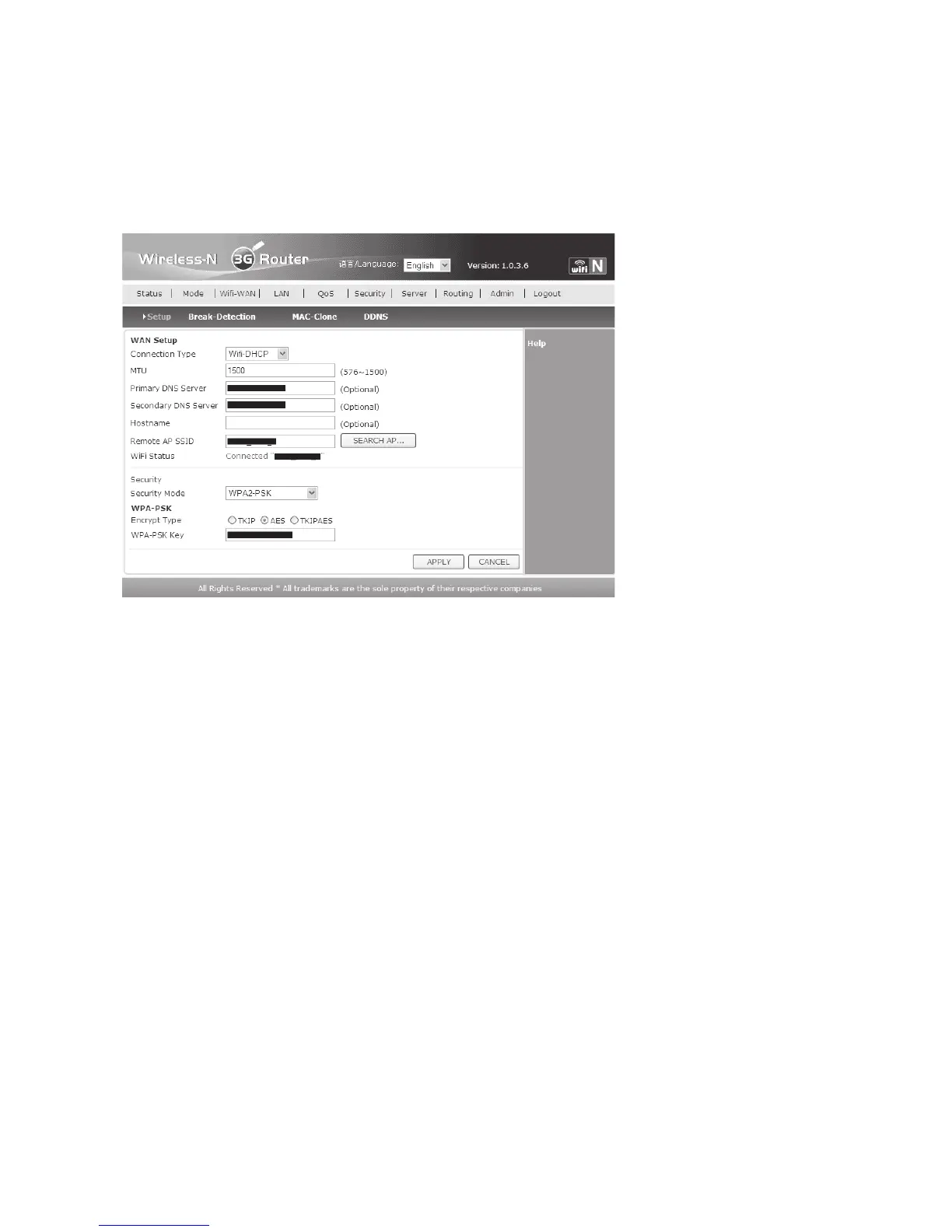
• Now the selected WLAN is displayed on the previous page. Now you need to select the
correct safety settings behind “Security Mode” and click the correct encryption type.
• Enter the WLAN password last. When all data is entered correctly, click “APPLY” to save and
then “RETURN”.
• After updating the website, “Connected …” should be displayed under the SSID.
• Configuration is now complete.
If you want to operate several computers with the router, simply connect the LAN
socket to a network switch.


 To Next Page