46
13. Router Reset
There are two ways for resetting the router to the factory settings.
• Press the Reset button on the back of the router:
Keep the button “WPS/Reset” pressed for approx. 5-8 seconds until the “Router Mode LED”
and the “WLAN LED” go out. Release the button.
The router restarts. This may take up to 30 seconds. Then the device is reset to factory
settings.
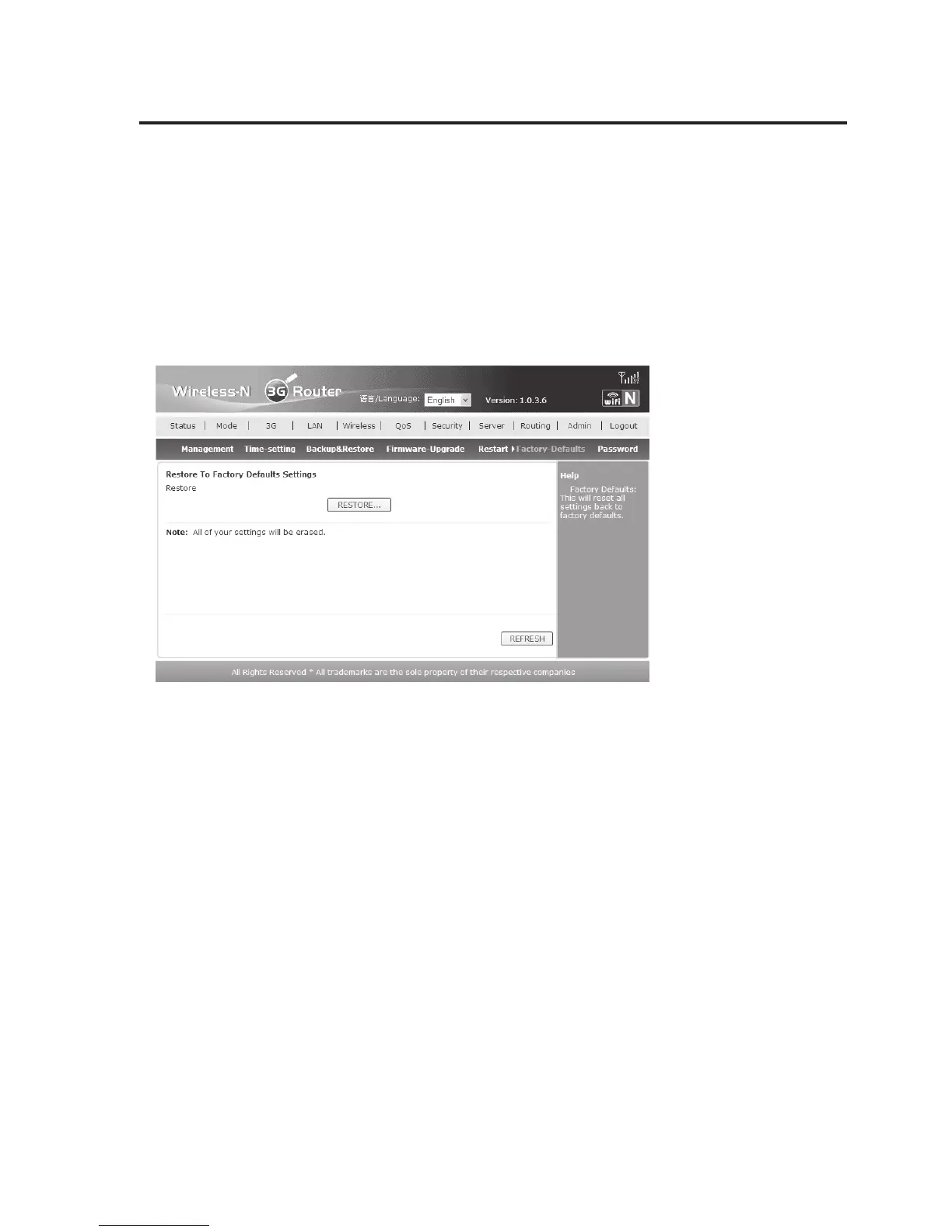
• In the router’s webinterface:
Click “Admin” in the webinterface and then “Factory-Defaults”. To reset, click “RESTORE…”
and then confirm with “OK”. After restart, which may take up to 40 seconds, the router is in
the state at delivery again.
• Observe that the router access information and operating mode are also reset (all other
settings are deleted as well):
Type of operation 3G Wireless Mode
IP-Address 192.168.0.1
User name/password admin/admin


 To Next Page