45
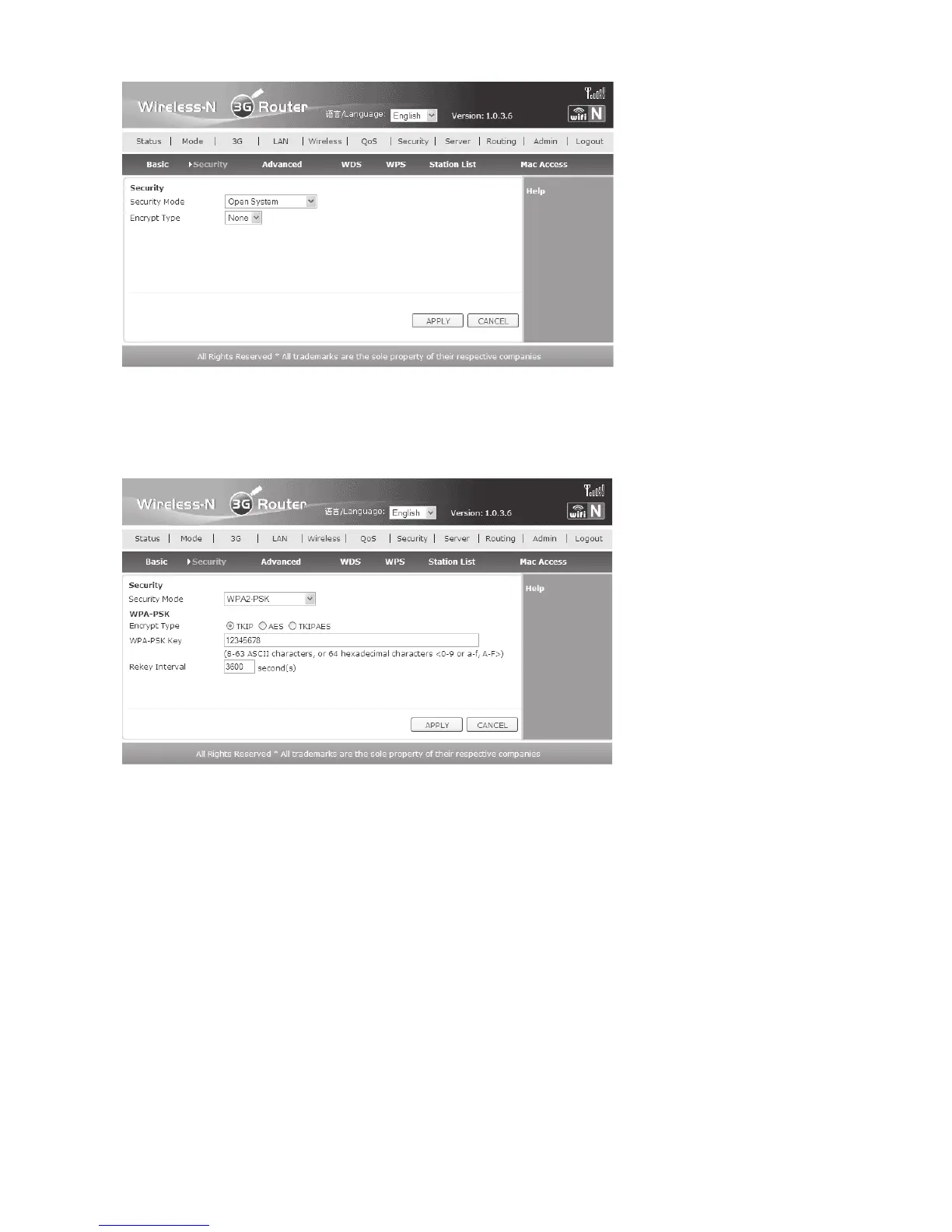
• At delivery, the WLAN is not encrypted to make configuration easier. In current operation,
encryption should always be used. We recommend “WPA2-PSK” with encryption type
“TKIP” or “AES” if supported by your WLAN card.
• For this, select “WPA2-PSK” in the drop-down menu behind “Security Mode”.
• Then set the desired encryption and enter a password behind “WPA-PSK Key”. The
password must be at least 8 characters long. We recommend combinations of figures and
letters, as well as capital and small letters.
• Click “APPLY” again to save the settings. Close your web browser and search for new
networks in the Windows-WLAN tool. The WLAN should now be displayed as encrypted.
• To connect to it, click it and then enter the previously entered password.


 To Next Page