12
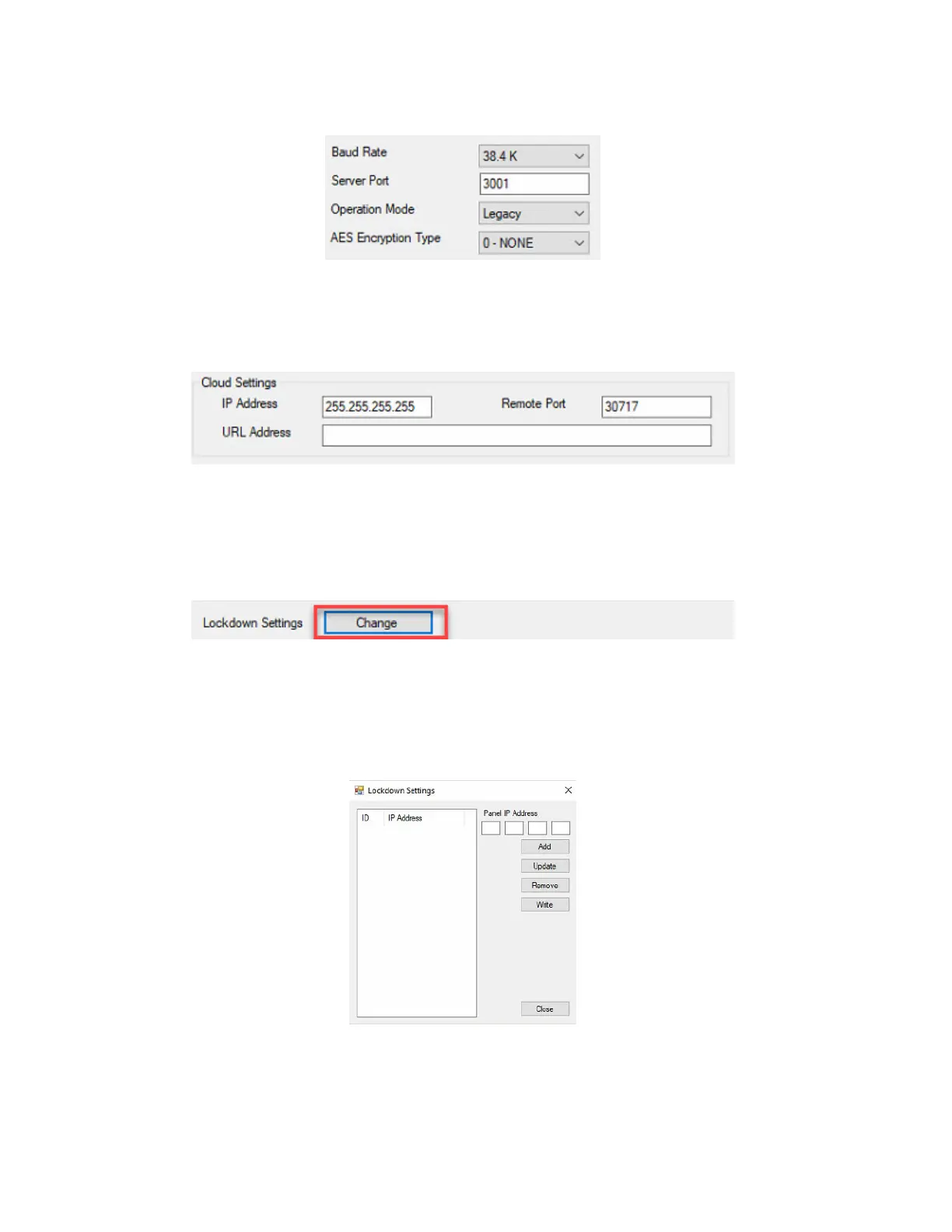
Figure 17.
28. The Cloud Settings are for Continental Hosting (refer to Figure 18). Leave the settings at the default settings.
These settings will be used at a later date.
Figure 18.
29. The Lockdown Settings are for the Peer-to-Peer Lockdown feature. The steps to configure this are explained
in the WI2544LF document. If the Peer-to-Peer lockdown feature is not going to be used, skip to step 30. To
configure the Peer-to-Peer Lockdown feature, click Change (refer to Figure 19).
Figure 19.
30. Upon clicking Change, the Lockdown Settings configuration screen will display. This only needs to be
populated if you are using the Peer-to-Peer Lockdown feature. Refer to WI2544LF for complete details on
configuring the Lockdown settings (refer to Figure 20).
Figure 20.



 To Next Page