14
APPENDIX B
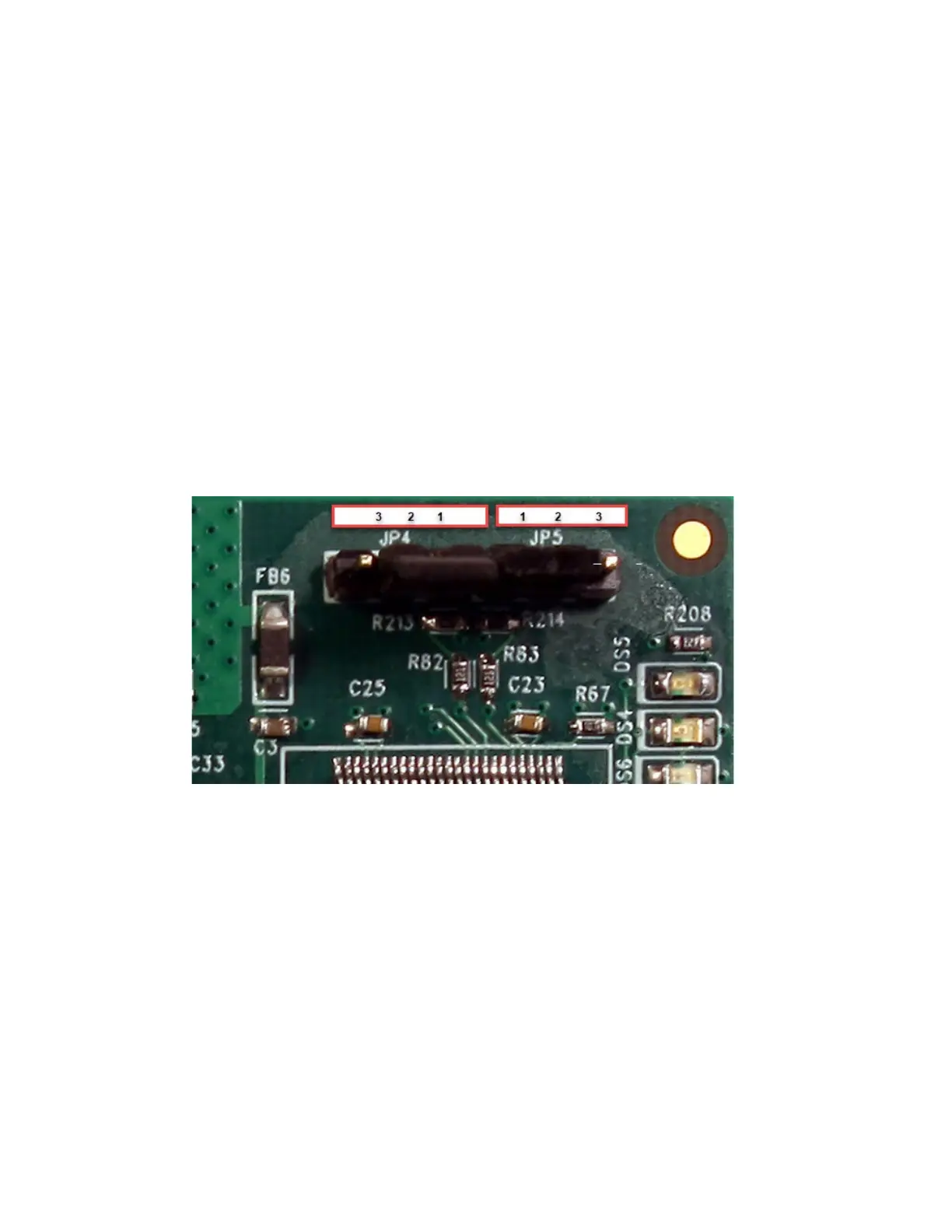
Set Log In credentials back to default (JP5).
Note: Refer to WI2545LF and WI1265CLF for additional instructions on defaulting the log in credentials
for the Universe Finder utility, using the JP5 jumper.
1. To default the Log In credentials back to the default credentials, you must move the JP5
jumper from pins 1 and 2, to pins 2 and 3. After the jumper is on pins 2 and 3, cycle the
power to the Super Two controller. This will default the log in credentials back to “admin”
and “admin”. After the Super Two controller powers up, wait 5 seconds and then move the
JP5 jumper back to pins 1 and 2.



 To Next Page