7
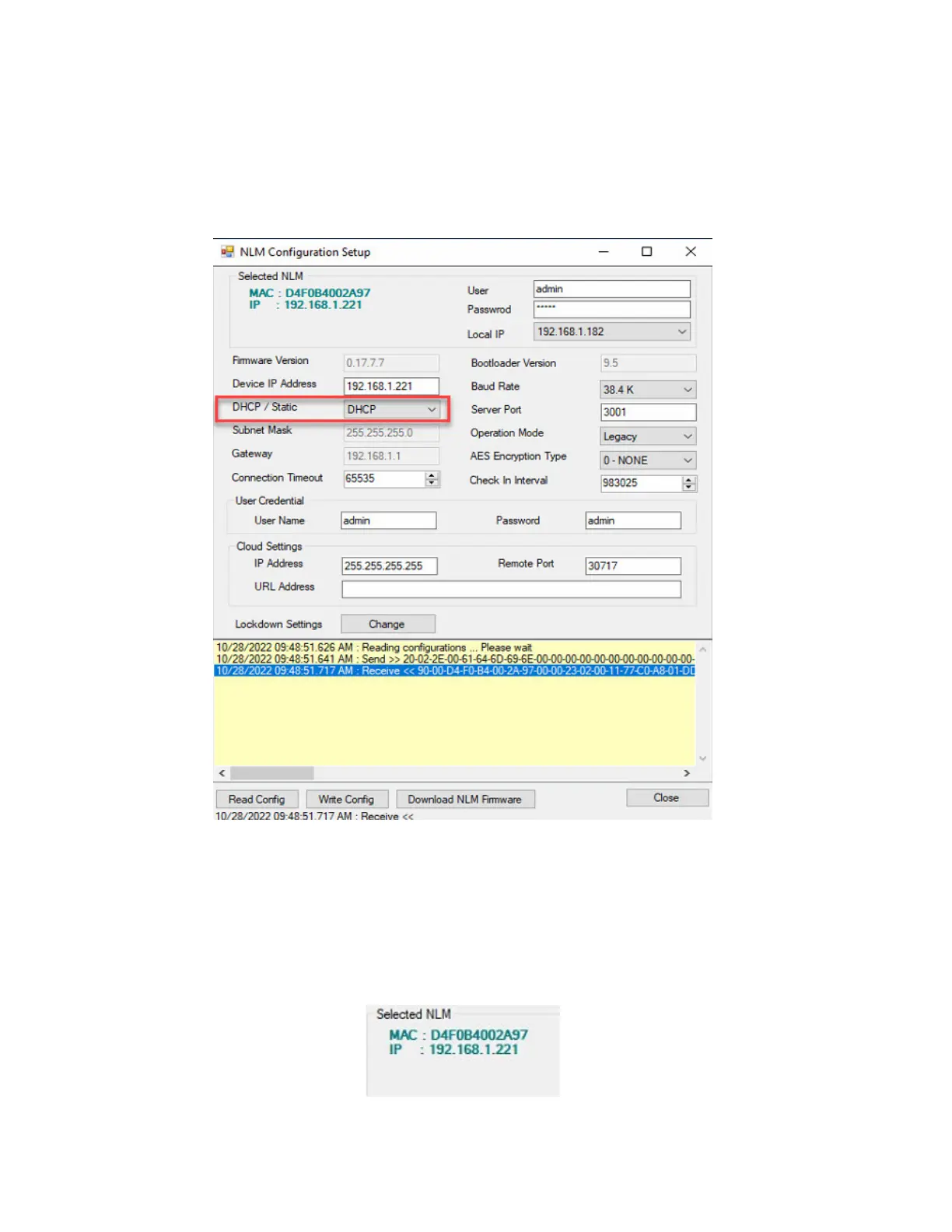
NLM Configuration Setup Page
7. Upon clicking Setup, the NLM Configuration Page of the selected device will display (refer to Figure
5), with a DHCP IP address displaying.
Figure 5.
View the Selected NLM information
8. On the NLM Configuration Setup page, view the Selected NLM information. The MAC Address should
match the MAC address on the CICP1300NETBD2 you are trying to discover (refer to Figure 6). The IP
address should match the Device IP address on the NLM Configuration page.
Figure 6.



 To Next Page