GETTING
STARTED
TESTING FEATURES USING THE
MAINMENU
TECHNICAL
& CARE
Table of Contents
Your CONTOUR
®
NEXT LINK 2.4 Wireless Blood Glucose
Monitoring System .........................................................................................................3
Your C
ONTOUR
®
NEXT Test Strip .......................................................................................3
Initial Setup ......................................................................................................................5
Preparing the Lancing Device ........................................................................................13
Getting the Blood Drop — Fingertip Testing ..................................................................15
Test Results ...................................................................................................................16
Alternative Site Testing (AST) – Palm .............................................................................18
Control Solution Testing .................................................................................................23
AutoLog (Marking Your Results) ....................................................................................25
Sending Results to Your Pump ......................................................................................25
Sending a Bolus to Your Pump ......................................................................................25
Test Reminders ..............................................................................................................28
Notes .............................................................................................................................30
Transferring Data to CareLink
®
Personal Software ........................................................53
Error Detection Displays ................................................................................................53
Battery Status ................................................................................................................54
Technical Information .....................................................................................................57
Caring for Your Meter.....................................................................................................63
Cleaning and Disinfection ..............................................................................................63
Warranty .........................................................................................................................67
INDEX ............................................................................................................................68
Bolus .................................................... 31
Logbook ............................................... 31
Trends (Averages and Summaries) ....... 32
Setup .................................................... 33
Pump Options ............................................33
Meter Send Options ...................................37
Test Reminders ..........................................43
Date and Time ...........................................45
Sound ........................................................47
AutoLog .....................................................47
Blood Sugar Targets ..................................49
Trends Range .............................................51
High and Low Alerts ..................................51
Set Language .............................................52
Customer Service ......................................52
85587269_CntrNextLINK_2_4_UG_EN_FpBp_v4.indd 1 11/18/16 9:03 AM
iv
о
If your blood sugar reading is over 600 mg/dL the next screen will tell you to retest. The meter
will beep twice. If results are still over 600 mg/dL, “Follow Medical Advice Immediately” is
displayed.
• Please be aware that USB ports in some computers and self-powered USB hubs can become much
warmer than the room. A USB extension cable is available. If you wish to test immediately after
disconnecting from your computer, please use the USB cable to protect the meter from exposure to
heat created by the computer.
CAUTION: Your C
ONTOUR
®
NEXT LINK 2.4 meter only works with CONTOUR
®
NEXT test strips and
CONTOUR
®
NEXT control solutions.
Rechargeable Battery
Your CONTOUR NEXT LINK 2.4 meter has a rechargeable battery. You must charge
your battery before you can use your meter and you cannot do a blood sugar test while the battery
is charging.
CAUTION: Please be aware that USB ports in some computers and self-powered USB hubs can
become much warmer than the room. If you wish to test immediately after disconnecting from
your computer, please use the USB cable to protect the meter from exposure to heat created by
thecomputer.
CAUTION: Do not perform a blood glucose test when your meter is connected to an external
device, e.g., computer.
Charge Your Meter Using a Wall Outlet or a
Computer
• Remove USB cap.
• Insert the meter USB plug into the wall charger* or use the USB
extension cable.
The meter is fully charged when the test strip port light stops
flashing and turnsoff.
NOTE: Your meter can Rapid Charge. After 1 minute of charging, you can unplug the meter and
run one blood sugar test, if needed.
A USB extension cable is included for your convenience.
OR
• Remove USB cap.
• Insert the meter USB plug into your computer or use the USB
extension cable.
• Be sure your computer is turned on and not in sleep, hibernate,
or power save mode.
* Wall charger may not be included in all meter kits. Contact Customer Service for information on obtaining a
wallcharger.
85587269_CntrNextLINK_2_4_UG_EN_FpBp_v4.indd iv 11/18/16 9:03 AM
GETTING
STARTED
TESTING FEATURES USING THE
MAINMENU
TECHNICAL
& CARE
Table of Contents
Your CONTOUR
®
NEXT LINK 2.4 Wireless Blood Glucose
Monitoring System .........................................................................................................3
Your C
ONTOUR
®
NEXT Test Strip .......................................................................................3
Initial Setup ......................................................................................................................5
Preparing the Lancing Device ........................................................................................13
Getting the Blood Drop — Fingertip Testing ..................................................................15
Test Results ...................................................................................................................16
Alternative Site Testing (AST) – Palm .............................................................................18
Control Solution Testing .................................................................................................23
AutoLog (Marking Your Results) ....................................................................................25
Sending Results to Your Pump ......................................................................................25
Sending a Bolus to Your Pump ......................................................................................25
Test Reminders ..............................................................................................................28
Notes .............................................................................................................................30
Transferring Data to CareLink
®
Personal Software ........................................................53
Error Detection Displays ................................................................................................53
Battery Status ................................................................................................................54
Technical Information .....................................................................................................57
Caring for Your Meter.....................................................................................................63
Cleaning and Disinfection ..............................................................................................63
Warranty .........................................................................................................................67
INDEX ............................................................................................................................68
Bolus .................................................... 31
Logbook ............................................... 31
Trends (Averages and Summaries) ....... 32
Setup .................................................... 33
Pump Options ............................................33
Meter Send Options ...................................37
Test Reminders ..........................................43
Date and Time ...........................................45
Sound ........................................................47
AutoLog .....................................................47
Blood Sugar Targets ..................................49
Trends Range .............................................51
High and Low Alerts ..................................51
Set Language .............................................52
Customer Service ......................................52
85587269_CntrNextLINK_2_4_UG_EN_FpBp_v4.indd 1 11/18/16 9:03 AM
iv
о
If your blood sugar reading is over 600 mg/dL the next screen will tell you to retest. The meter
will beep twice. If results are still over 600 mg/dL, “Follow Medical Advice Immediately” is
displayed.
• Please be aware that USB ports in some computers and self-powered USB hubs can become much
warmer than the room. A USB extension cable is available. If you wish to test immediately after
disconnecting from your computer, please use the USB cable to protect the meter from exposure to
heat created by the computer.
CAUTION: Your C
ONTOUR
®
NEXT LINK 2.4 meter only works with CONTOUR
®
NEXT test strips and
CONTOUR
®
NEXT control solutions.
Rechargeable Battery
Your CONTOUR NEXT LINK 2.4 meter has a rechargeable battery. You must charge
your battery before you can use your meter and you cannot do a blood sugar test while the battery
is charging.
CAUTION: Please be aware that USB ports in some computers and self-powered USB hubs can
become much warmer than the room. If you wish to test immediately after disconnecting from
your computer, please use the USB cable to protect the meter from exposure to heat created by
thecomputer.
CAUTION: Do not perform a blood glucose test when your meter is connected to an external
device, e.g., computer.
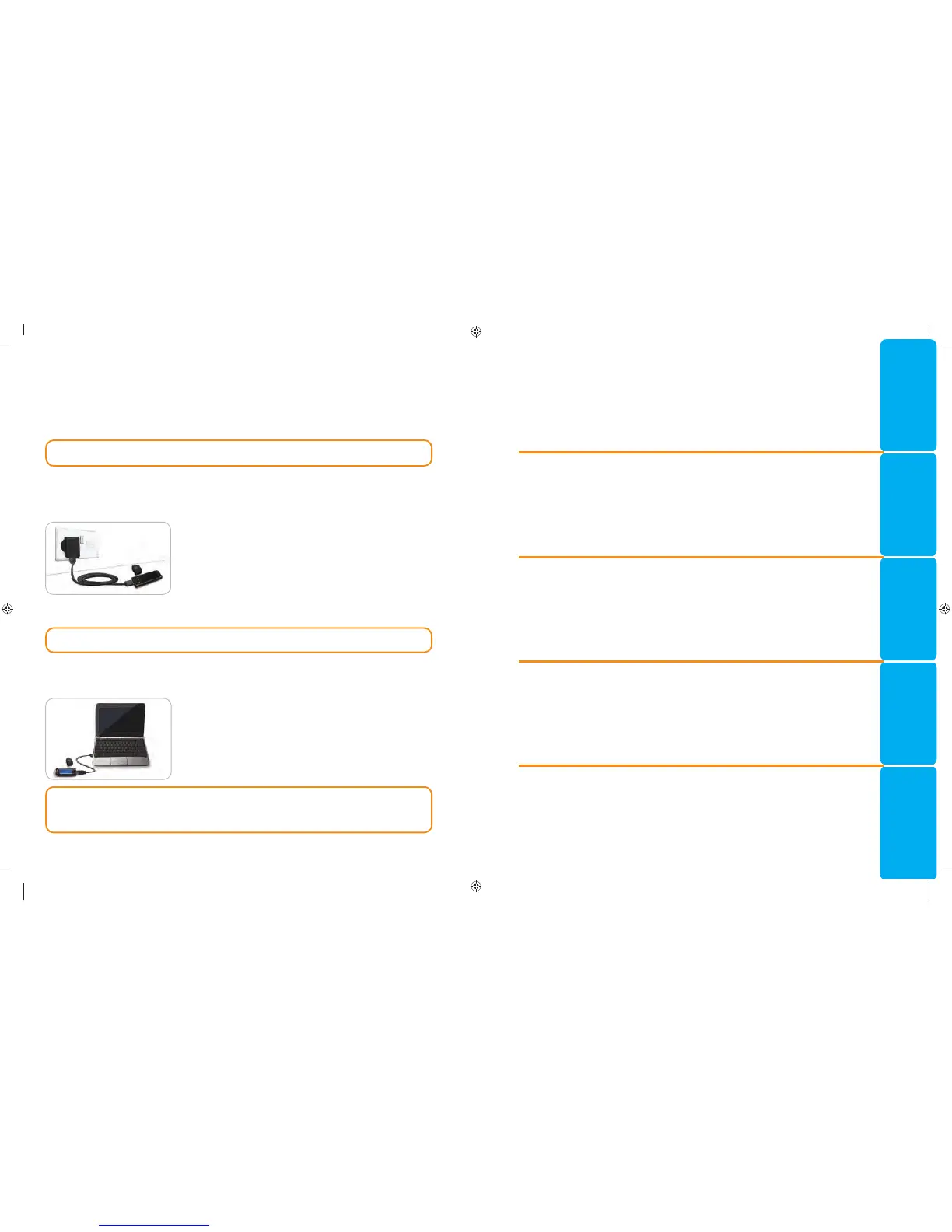
Charge Your Meter Using a Wall Outlet or a
Computer
• Remove USB cap.
• Insert the meter USB plug into the wall charger* or use the USB
extension cable.
The meter is fully charged when the test strip port light stops
flashing and turnsoff.
NOTE: Your meter can Rapid Charge. After 1 minute of charging, you can unplug the meter and
run one blood sugar test, if needed.
A USB extension cable is included for your convenience.
OR
• Remove USB cap.
• Insert the meter USB plug into your computer or use the USB
extension cable.
• Be sure your computer is turned on and not in sleep, hibernate,
or power save mode.
* Wall charger may not be included in all meter kits. Contact Customer Service for information on obtaining a
wallcharger.
85587269_CntrNextLINK_2_4_UG_EN_FpBp_v4.indd iv 11/18/16 9:03 AM
85587269_CntrNextLINK_2_4_UG_EN_FpBp_v5_UnMaskedPlaced.pdf:4



 To Next Page
 Loading...

