39
38
Contour+2 User Manual
SETTING UP
Recording
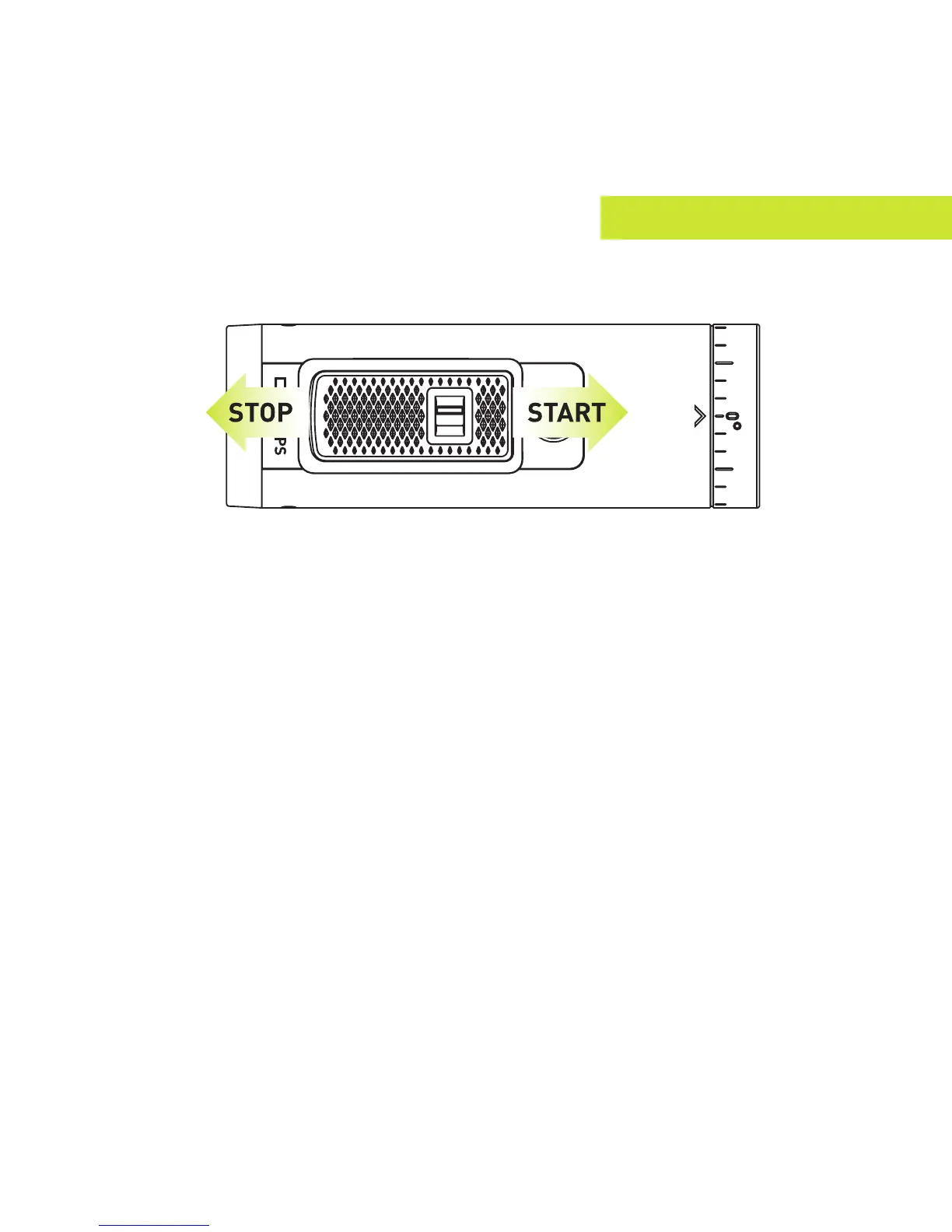
+ Start Recording: Move the Record Slider Lock so that the red square is
not showing and then slide the Record Slider forward. Your camera will
power on, beep once, and the Record Status LED will turn red, indicating
that the camera is now recording a video.
+ Stop Recording: Slide the Record Slider back. Your camera will beep
twice, and the Record Status LED will switch off, indicating that your
camera has stopped recording and is powered off.
+ Record Slider Lock: The small switch on top of the Record Slider is used
to keep the Record Slider from turning on or off. To move the Record Slider
forward or back, have the Record Slider Lock moved so that the red square is
not showing. To prevent the Record Slider from moving in either the record or
off positions, move the Record Slider Lock so that the red square is visible.


 To Next Page