05
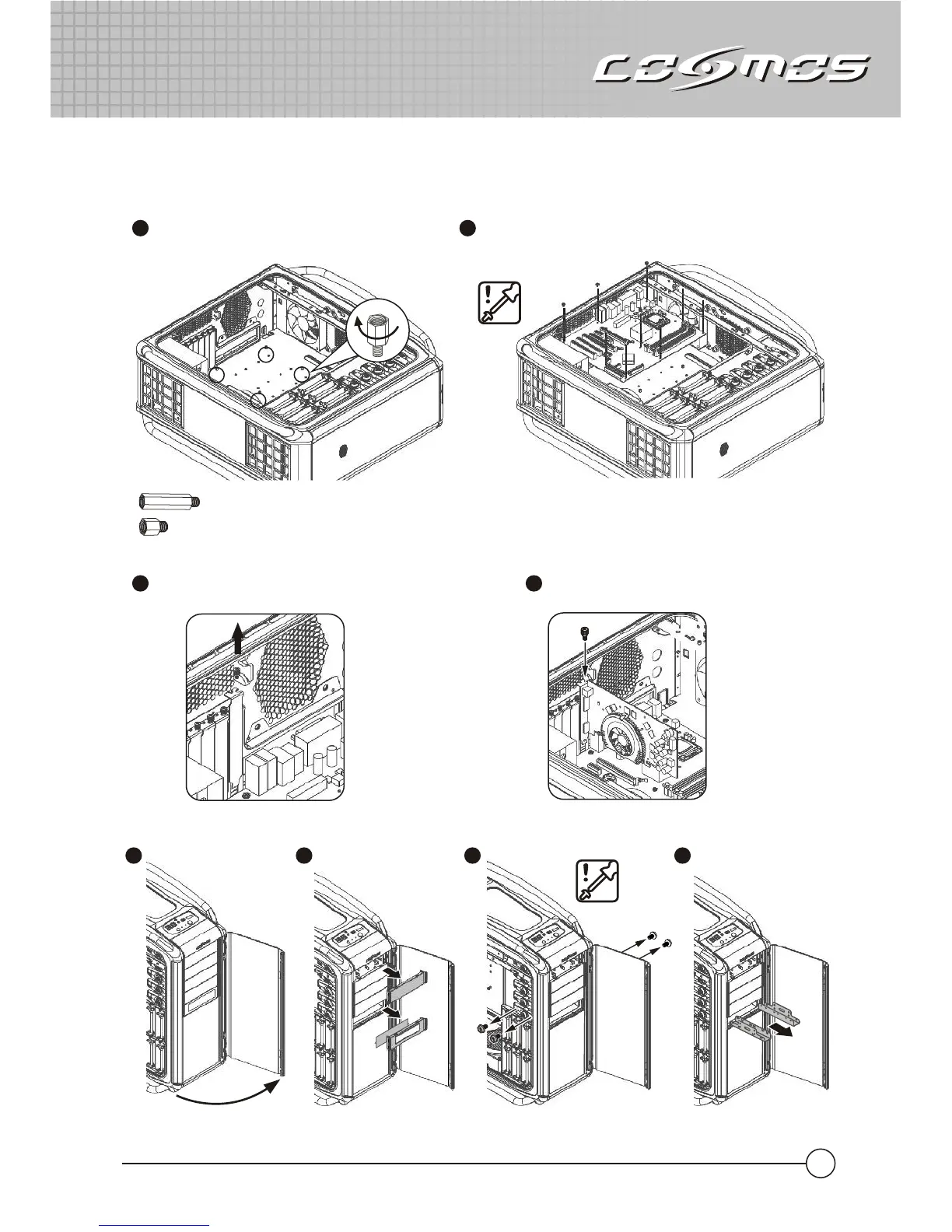
2.2 How to install the Motherboard.
Remove the back slot plate and install the
add-on card into the slot on the Motherboard
22
11
Align the stand-off holes of M/B with
MB tray and screw the stand-offs.
Note: If the I/O plate of the case does not fit your motherboard,please remove the I/O plate and replace
it with the one provided with the motherboard.
11
2.3 How to install the add-on cards.
22
Secure the screw
Make sure the holes on the Motherboard and chassis
line up completely before securing the screws.
2.4 How to install the 3.5” and 5.25” Devices.
11 22
44
33
M3
#6-32
Stand-off (16.9mm) for Extend ATX M/B
th
Notice: We strongly recommend installing a device that is no bigger then 3.5" in the 5 device bay to
guarantee optimal thermal performance for HDDs.
Stand-off (6.5mm) for ATX M/B



 To Next Page