12
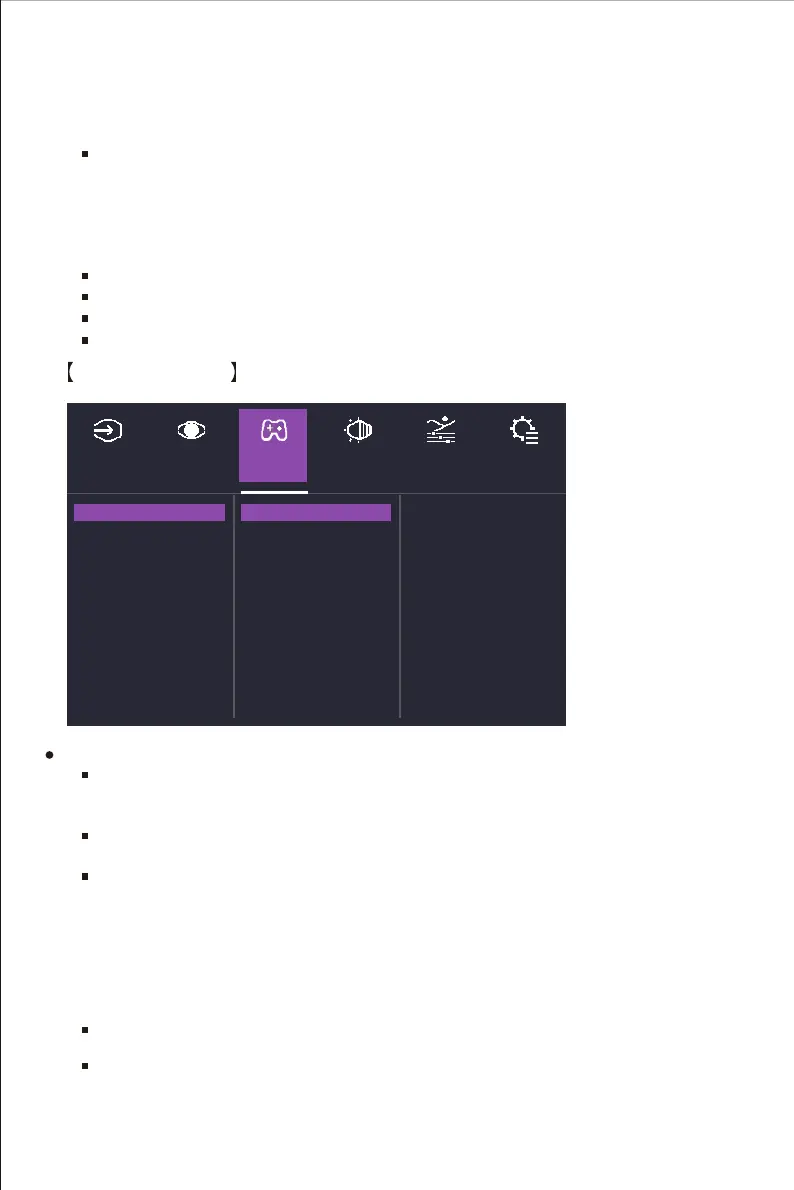
Gaming Setup
b. Movie: Provide the optimized setting for FPS(First Person Shooting) games to increase
the visibility in dark scenes.
c. User: Provide the optimized setting for FPS(First Person Shooting) games for normal
scenes.
Brightness: Adjust the backlight brightness level between 0 and 100.
Contrast: Adjust the Contrast level between 0 and 100.
Aspect Ratio: Full Screen,16:9 and 4:3 Screen mode can be selected.
Sharpness: Adjust the sharpness between 0 and 100.
HDR Picture Mode: Enter the HDR Picture Mode menu to configure image setting.
a. Game: Provide the best option for gaming experience.
Go to the Game Settings menu to adjust the desired game mode.
Adaptive-Sync: Turn the Adaptive-Sync function On or Off.
*Enabling Adaptive-Sync may cause side effects like flicker due to the fluctuation of the
output frequency from graphics cards.
Over Drive: Off, Normal, Advanced, UltraFast, Dynamic modes are available options for
speeding up the response time.
Black Stabilization: Aim to brighten dark areas without overexposing the brighter areas.
The setting value is between 0 and 100.
Motion Clearness: MPRT setting with: High, Medium, Low, or Off as available options.
Game Plus: Adjust Timer, Crosshair,and FPS Counter functions.
a. Timer: The setting value is between 00:00-60:00.
b. Crosshair:
b. FPS Counter: Upper Right, Upper Left, Bottom Left, Bottom Right, Off are available
options adjust the counter position or turn it off.
Adaptive-Sync
Over Drive
Black Stabilization
Motion Clearness
Game Plus
Input
Select
Gaming
Setup
Color
Adjustment
Advanced Setup
Menu
Picture
Setting
On
Off
g. Text: Provide the optimized setting for reading(Native color space: sRGB).
h. MAC: Provide the optimized setting for MAC use.
i. Color Weakness: Provide customized setting including adjusting functions like Red Filter and
Green Filter functions for people who suffer from color vision deficiency.
1. H./V. Position: Adjust H./V. Position from 0 to 100.
2. Pixel Color: Adjust R, G and B value from 0 to 100.
3. Style: 5 modes options are available.















 To Next Page