2
Getting Started
Get off to a running start with your new Coolpad Surf Mobile Hotspot!
Device Layout
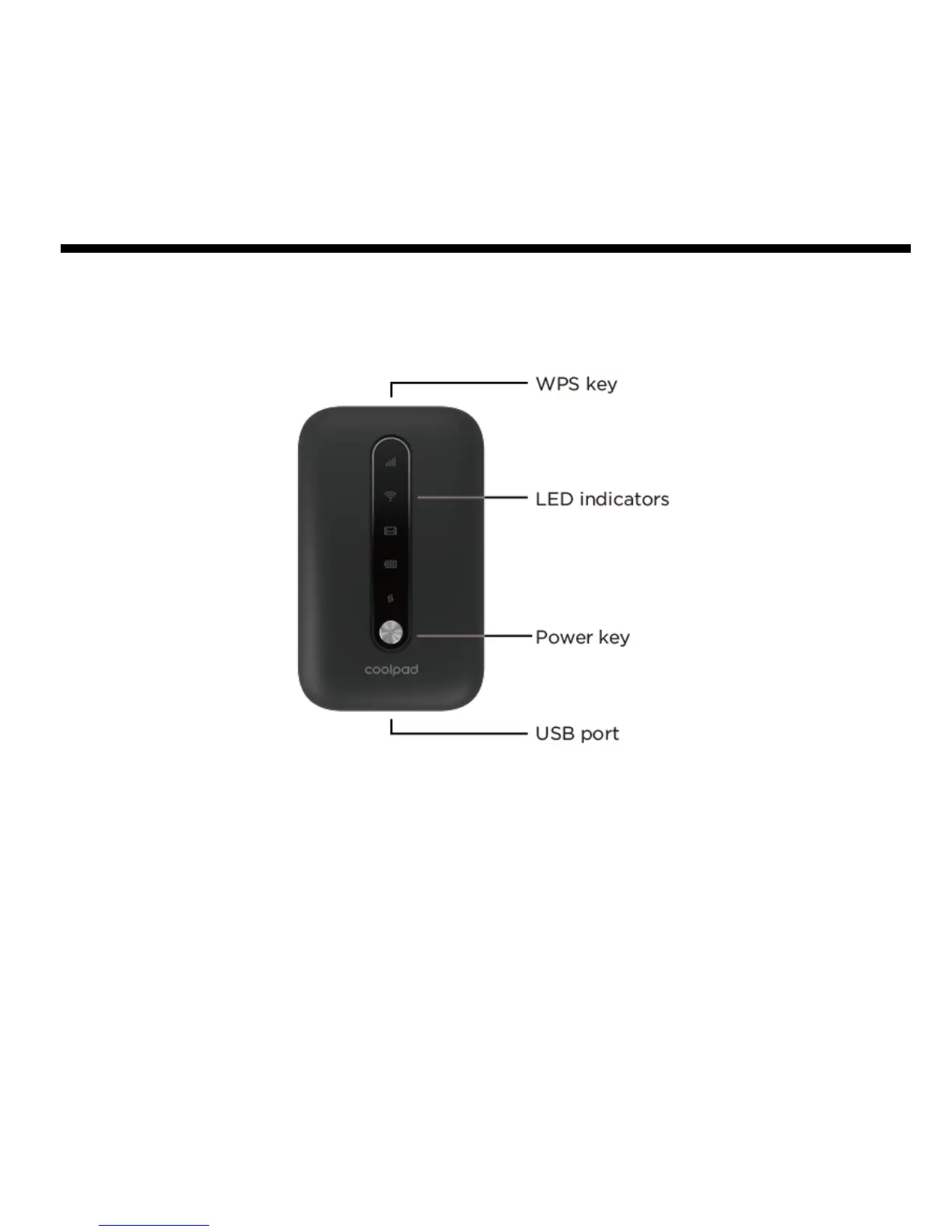
• Power key: Hold the Power key for 3 seconds to power the device on/off. When the
screen is off, press the Power key to turn the screen on.
• WPS key: Hold the WPS key for 3 seconds to activate the WPS function. Once
activated, the Wi-Fi
TM
LED indicator will flash every two seconds. If the network is not
accessed within 2 minutes, the device will automatically exit WPS (Wi-Fi Protected
Setup) mode.
• LED indicators: Display network signal, Wi-Fi, SMS, battery charge and mobile data
status.


 To Next Page