WaveLinx Networked Relay Panel Quick Start (Version 15)
www.cooperlighting.com 10
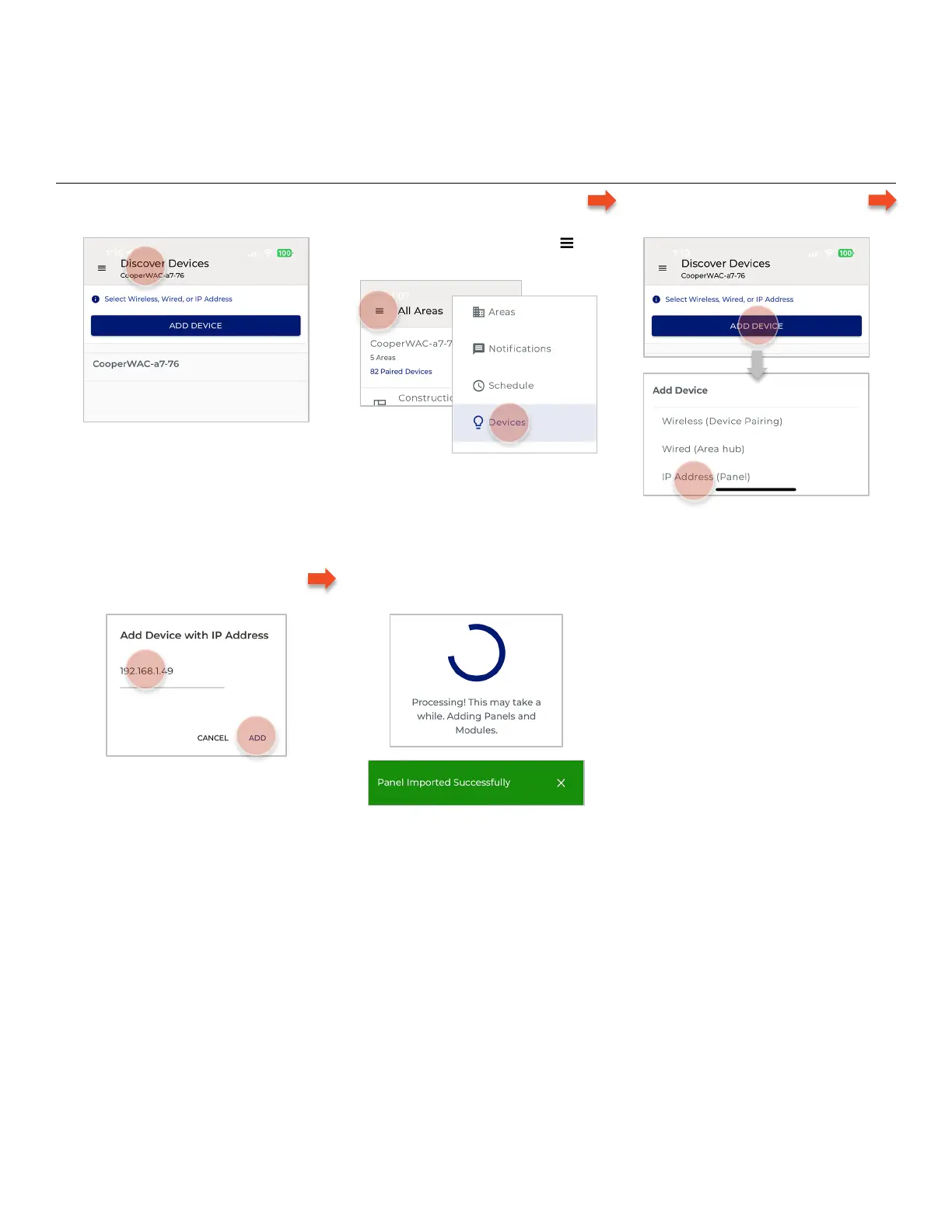
Add the WaveLinx Networked Relay Panel
To be able to program and control the relays and dimmers in the WaveLinx Networked Relay Panel from the WaveLinx Mobile App, the
Relay Panel must be added using its IP address. Before proceeding, open the WaveLinx Mobile App and Login to the WaveLinx Area
Controller.
Follow the steps below to add the Relay Panel:
1 – Confirm that the Discover Devices
view is displayed.
If not already displayed, select , and
tap Devices.
For tablet devices or devices being
used in landscape view, tap on the
WaveLinx Area Controller.
2 – Tap ADD DEVICE and select IP
Address (Panel).
3 – Enter the IP Address of the Relay
Panel and then tap ADD.
4 – Wait for the Panel Import to
Complete.



 To Next Page