3
Front Panel
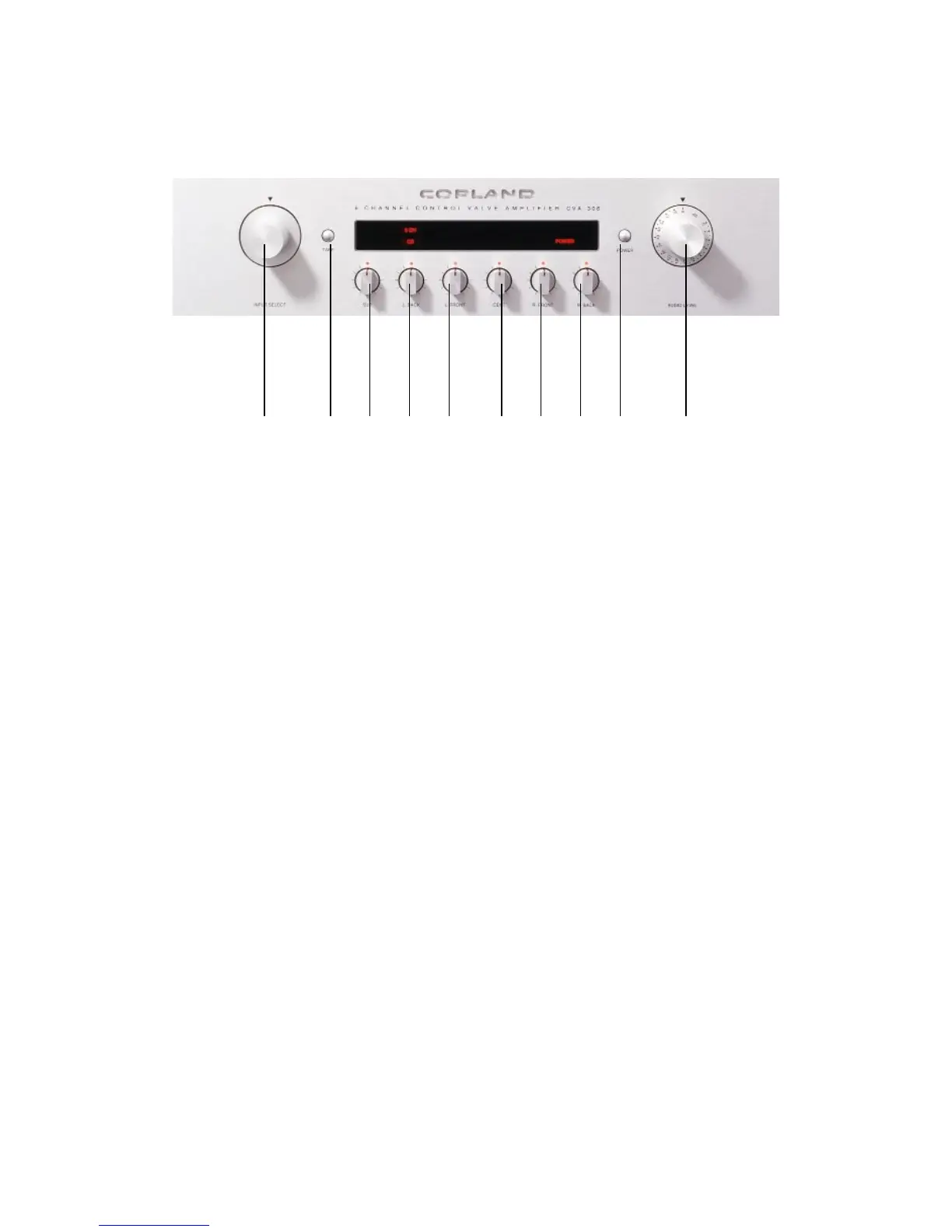
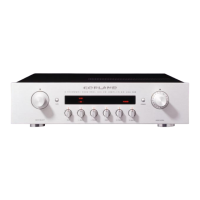
1 2 3 4 5 6 7 8 9 10
1. Source Selector : Selects the appropriate input signal source.
2. Tape Monitor : If you have connected a tape recorder or a cassette deck to the “tape in”
on the back of the unit, then switching Tape will make it possible to listen to tapes.
If your tape recorder has a monitor capability (usually requires a separate playback head),
then you can monitor your tape recording as it is being recorded by switching the tape button.
NOTE : When the Tape monitor is engaged it bypasses the Selector Switch. Regardless of
witch source the selector is set for, you only hear the tape if the Tape Monitor is accidentally
left on, none of the inputs on the Source Selector will operate.
3. 4. 5. 6. 7. 8 : Channel Level : Permits adjustment of level between all channels. Rotating
clockwise will increase relative level.
9 : Power switch : Turns amplifier on. Power on or Stand By is indicated in the display.
10 : Audio Level : To adjust the volume to the desired listening level. Turn the control
clockwise to increase the volume.


 To Next Page