2KJ/2KH
1-5-21
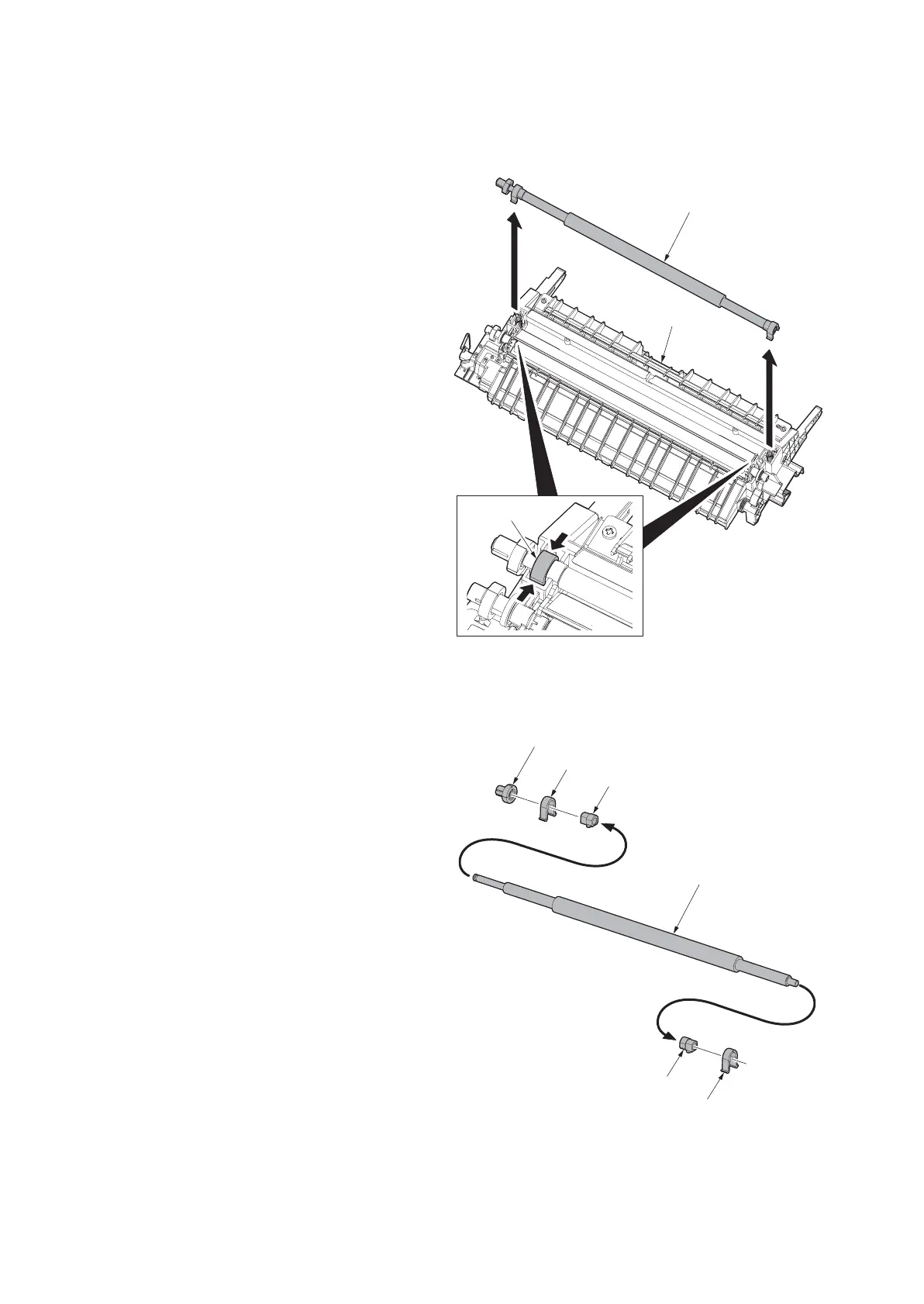
(8) Detaching and refitting the left registration roller
Follow the procedure below to replace the left registration roller.
Procedure
1. Remove the paper conveying unit (see page
1-5-16).
2. Release the stoppers at the front and rear
side, and then remove the left registration
roller from the paper conveying unit.
Figure 1-5-33
3. Remove two stoppers, gear and two
bushes.
4. Replace the left registration roller and refit
all the removed parts.
Figure 1-5-34
Left registration roller unit
Paper conveying unit
Stopper
Left registration roller
Stopper
Stopper
Bush
Bush
Gear



 To Next Page