2KJ/2KH
1-5-45
1-5-6 Transfer section
(1) Detaching and refitting the transfer roller
Follow the procedure below to replace the transfer roller.
Procedure
1. Remove the paper conveying unit (see page
1-5-16).
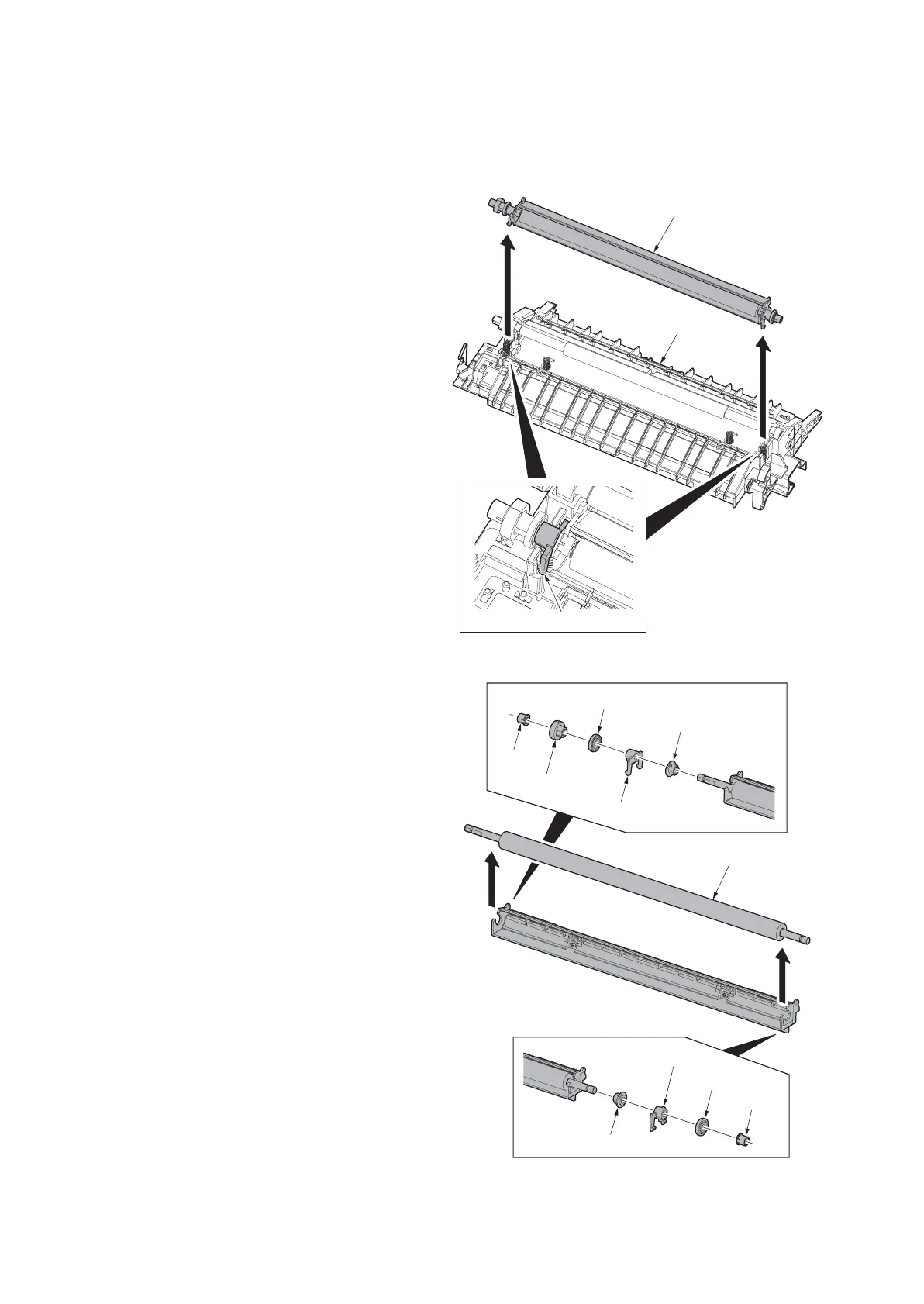
2. Remove front and rear inserted parts and
remove the transfer roller unit from the
paper conveying unit.
Figure 1-5-75
3. Remve two collars A, two collars B, gear,
two stoppers and two bushes from transfer
roller.
Figure 1-5-76
Transfer roller unit
Paper conveying unit
Inserted part
Bush
Collar A
Gear
Stopper
Bush
Stopper
Collar B
Collar A
Collar B
Transfer roller



 To Next Page