2FT
1-3-39
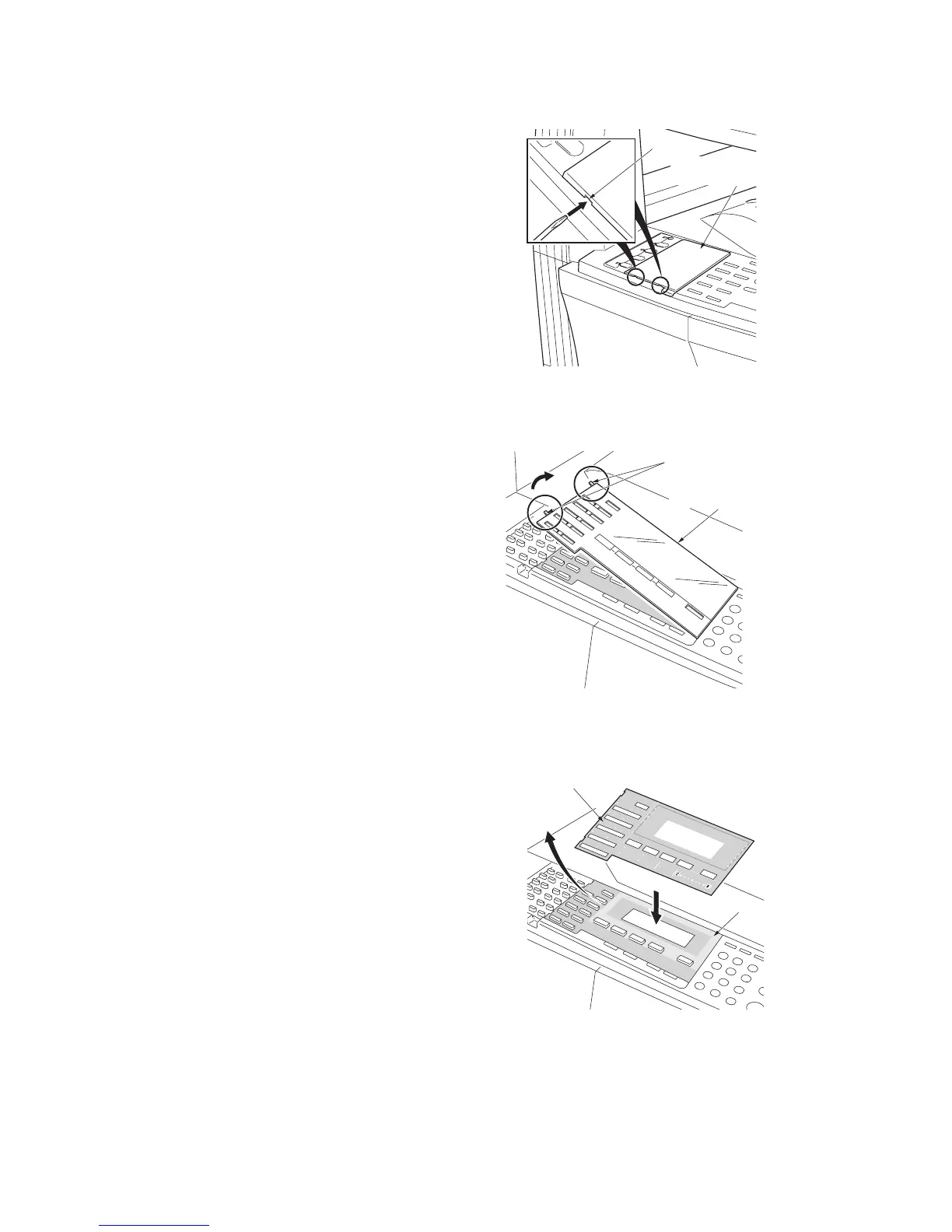
Attach the operation section sheet for fax.
19. Insert the small screw driver into the two
points of the opening and remove the left
cover of the operation section.
Figure 1-3-76
20. Lift the two pawls and remove the operation
section sheet cover.
Figure 1-3-77
21. Remove the operation section sheet and
replace it with the operation section sheet
for fax of the corresponding language.
Figure 1-3-78
Left cover of
the operation section
Opening
Pawls
Operation section sheet cove



 To Next Page