- 19 -
Step 2: Select Template
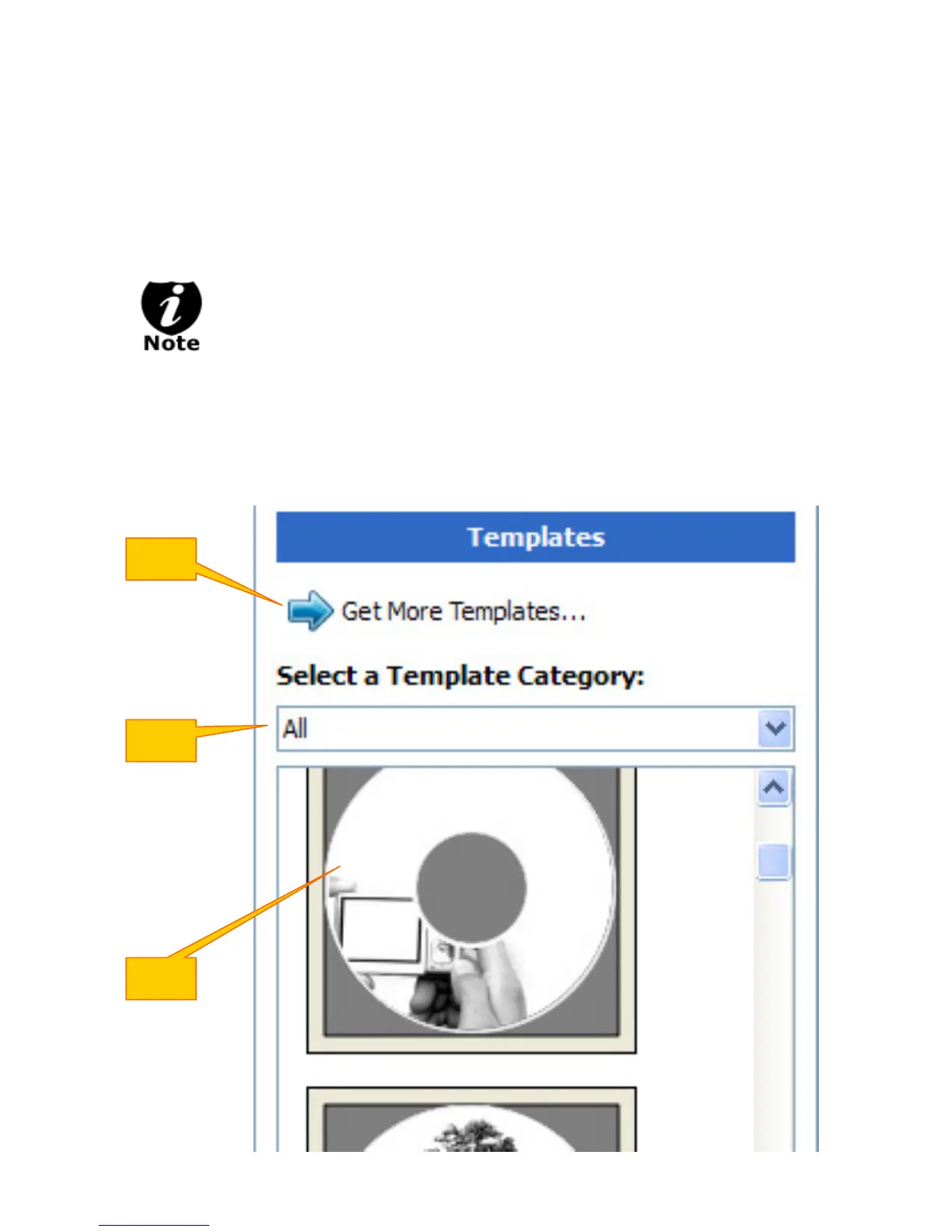
¾ Choose one of the preinstalled templates, or click on "Get More Templates" to download
additional templates. (1)
¾ Select the Category filter function to better view and choose a template. Note that each
template may appear in multiple categories. (2)
¾ Click on your Template choice to activate. (3)
If you prefer more advanced design capabilities instead of the pre-designed
templates, you can do following:
a. Design your own CD label artwork using a more advance design software
like Adobe PhotoShop
b. Export your completed CD artwork as a picture format like bmp, jpeg, png,
etc.
c. Choose an empty template from the Template Labeler and add the
exported CD artwork pictures into the empty template.
(1)
(2)
(3)



 To Next Page