17
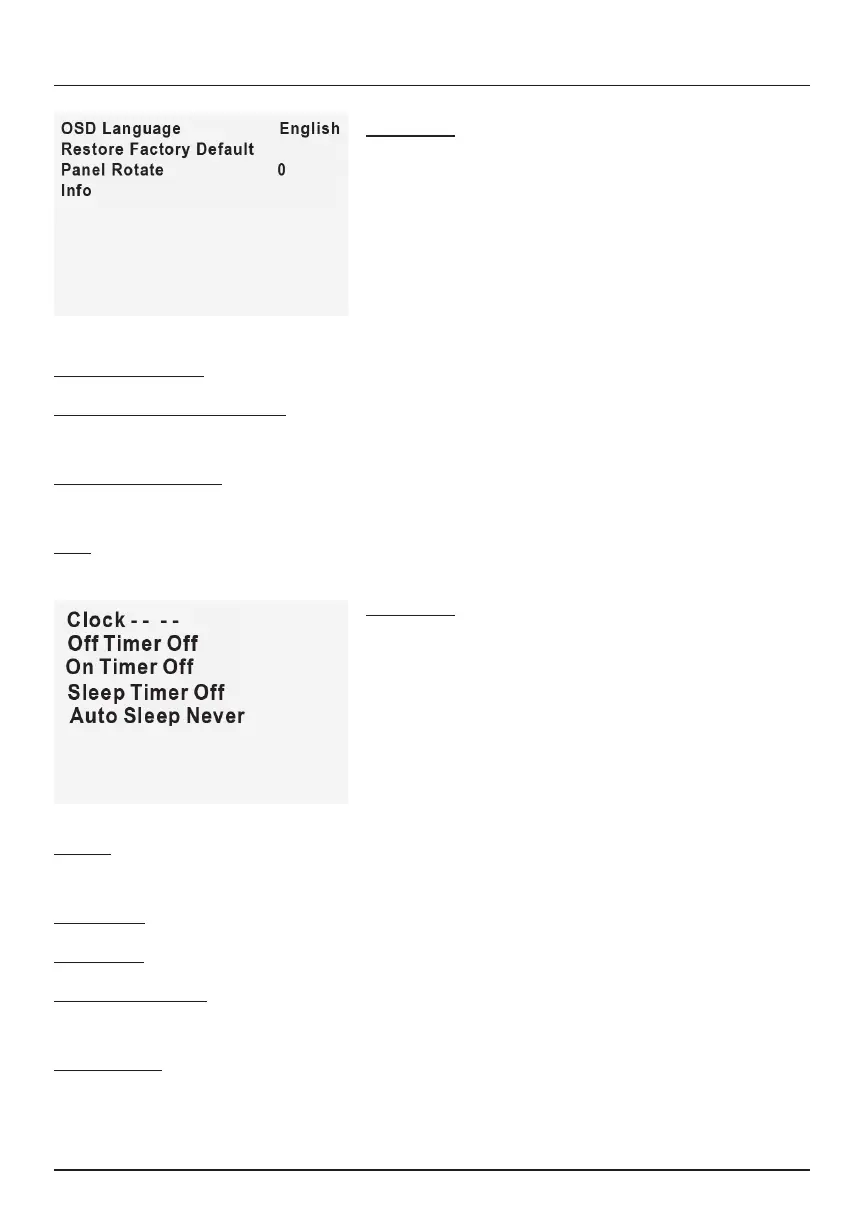
Clock: Use Navigator arrows to adjust clock: Day / Month / Year / Hours /
Minutes
O Timer: Use Navigator arrows to select timer turn o: Day / Hour / Minutes
On Timer: Use Navigator arrows to select timer turn on: Day / Hour / Minutes
Sleep Timer O: Select the automatic sleep timer (in minutes): O / 10 / 20 /
30 / 60 / 90 / 120 / 180 / 240
Auto Sleep: Select the automatic sleep timer (in hours): Never / 4 / 6 / 8
NOTE: Date and time settings do not save when the device is unplugged.
Menu 04
Press the Menu button to enter the
projector’s menu. Press again to return to the
previous screen.
Use Navigator buttons to select the
adjustments shown on the left.
Menu 03
Press the Menu button to enter the
projector’s menu. Press again to return to the
previous screen.
Use Navigator buttons to select the
adjustments shown on the left.
OSD Language: Use Navigator to select dierent languages.
Restore Factory Default: Use the left/right arrows on the Navigator to select
Y or N. Clicking Y will restore the unit to its factory default settings.
Panel Flip Rotate: Use the left/right arrows on the Navigator to select Front /
Rear Ceiling / Front Ceiling / Rear
Info: Display device information
Projector Menus (Continued)


 To Next Page