11
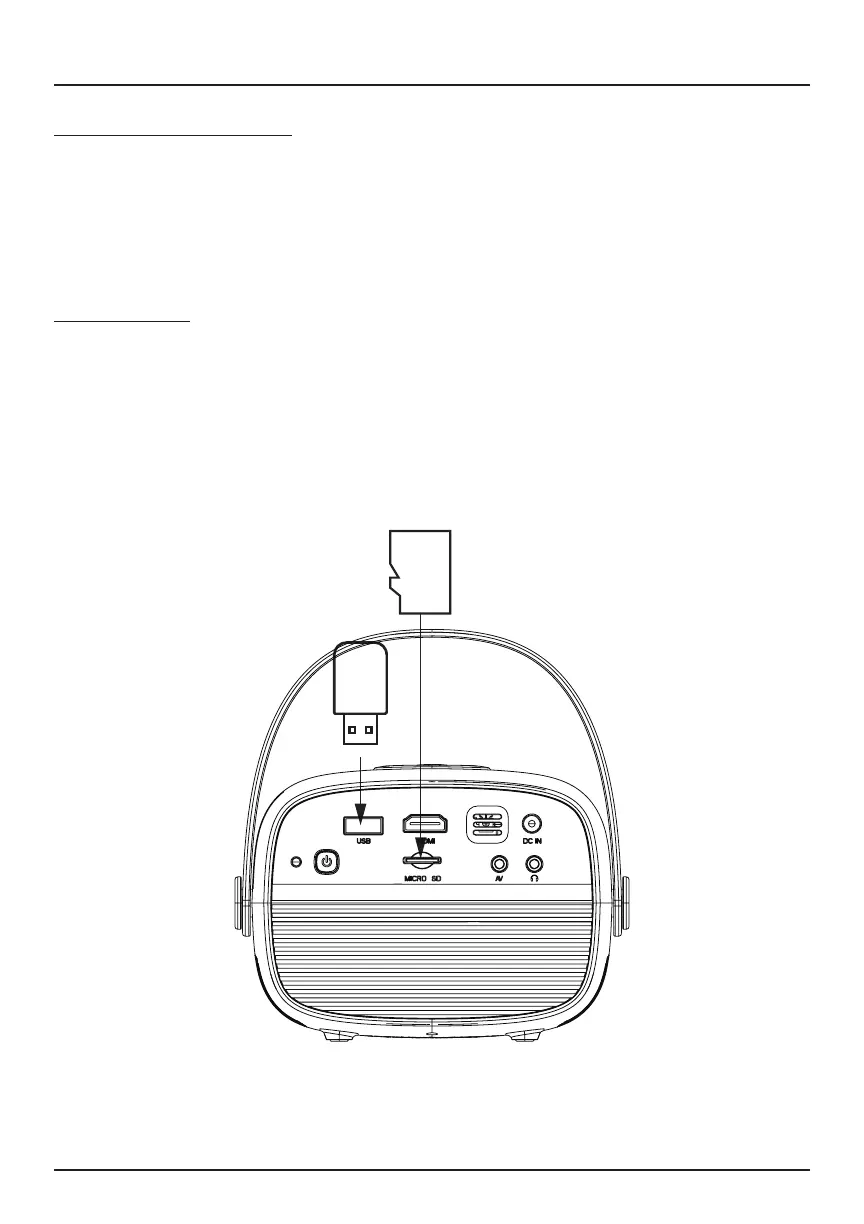
NOTE: Power o the projector before removing your USB Drive / Micro SD
card.
Select an Input Source
Power on the projector. Press the Source button on the projector or remote
to select the desired input source (AV / HDMI
®
/ Media Player).
You may connect various input devices to the projector according to the
following instructions.
Media Player
Turn o your projector before connecting external devices.
Insert a USB Drive or Micro SD card (sold separately) into the projector’s
corresponding slots. Turn on the device, and press the Source button to
access the Media Player mode. Select Video / Music / Picture to open the
content you wish to play.
Connecting to Other Devices


 To Next Page