12
HDMI
®
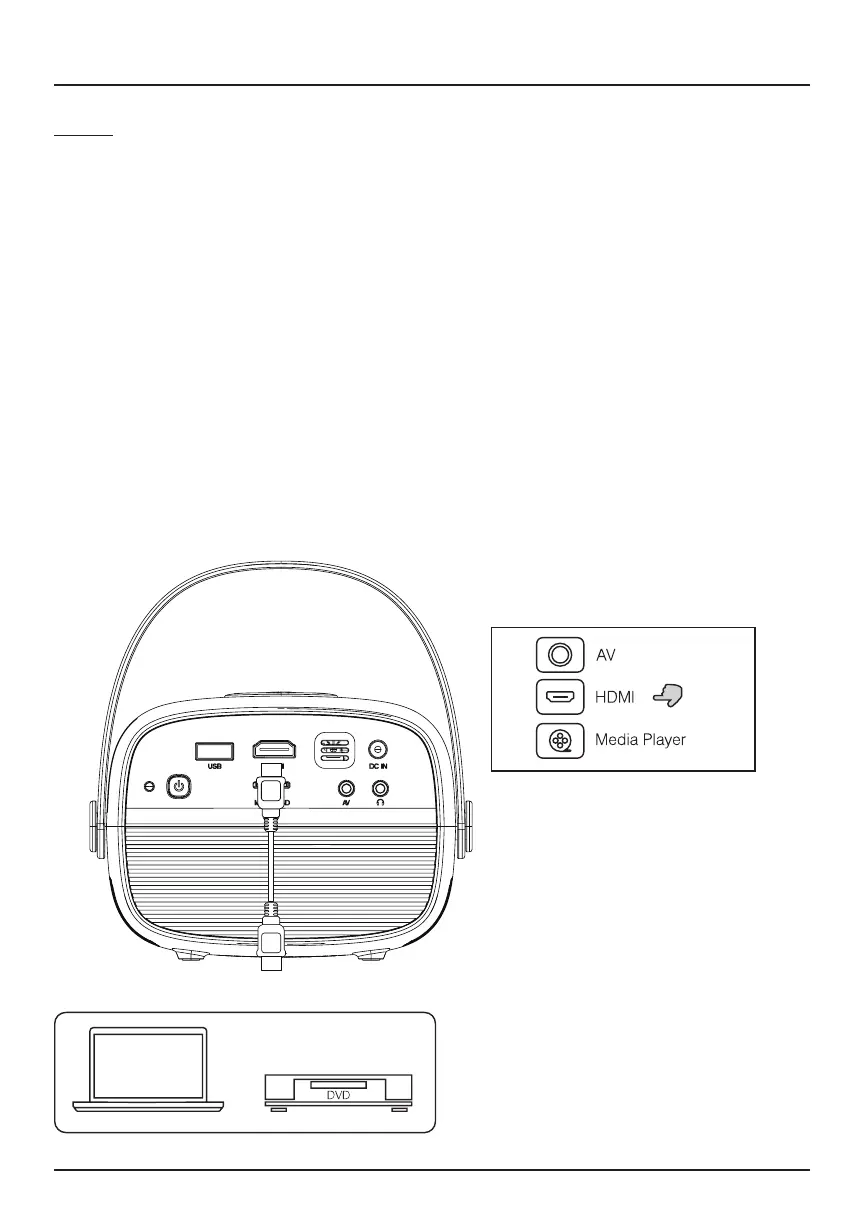
Follow the diagram below to connect your HDMI
®
cable (not included) to
your compatible device (laptop, DVD player, streaming device, smartphone,
etc).
1. Turn o the projector before connecting your HDMI
®
cable. Plug one
end into the projector’s HDMI
®
input and the other end into your output
device.
You may also connect a smartphone to the projector. Use your
smartphone charging cable with an HDMI
®
adapter to project images
onto the big screen.
2. Once connected, press the Power button to turn on the unit. The power
indicator will turn green.
3. Press the Source button until you reach HDMI
®
mode, and the display of
your HDMI
®
device will appear on the projector screen.
Connecting to Other Devices (Continued)


 To Next Page