13
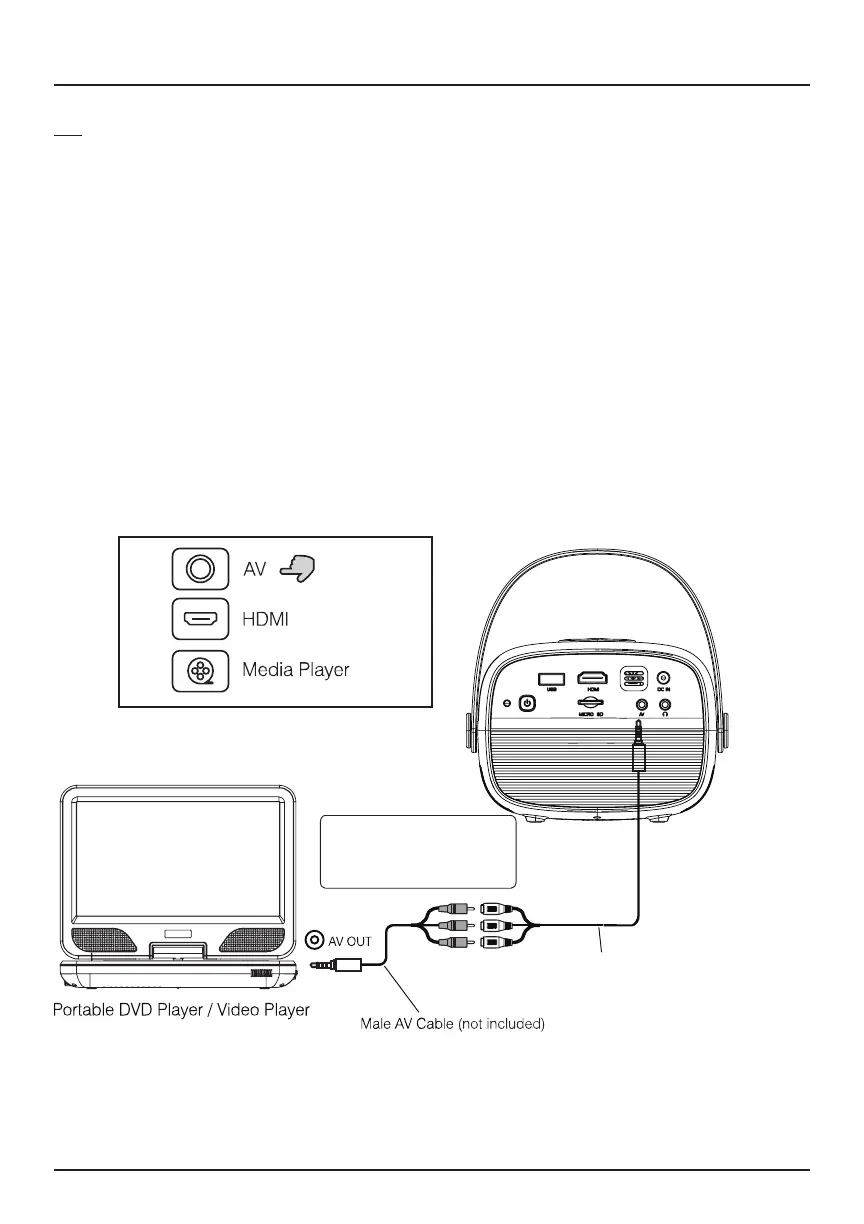
AV
Follow the diagram below to connect your AV cable (not included) to the
device.
1. Turn o the projector before connecting your AV cable.
2. Plug the single end into the projector’s AV input, and match the other
ends into the ports on your output device. You may need to use both
male and female AV cables (not included) depending on the device you
wish to connect.
3. Once connected, press the Power button to turn on the unit. The power
indicator will turn green.
4. Press the Source button until you reach AV mode, and the content from
your AV device will transfer to the projector.
Connecting to Other Devices (Continued)
Video Cable: YELLOW
Audio Left Channel: WHITE
Audio Right Channel: RED
Female AV Cable (not included)
Projector


 To Next Page