14
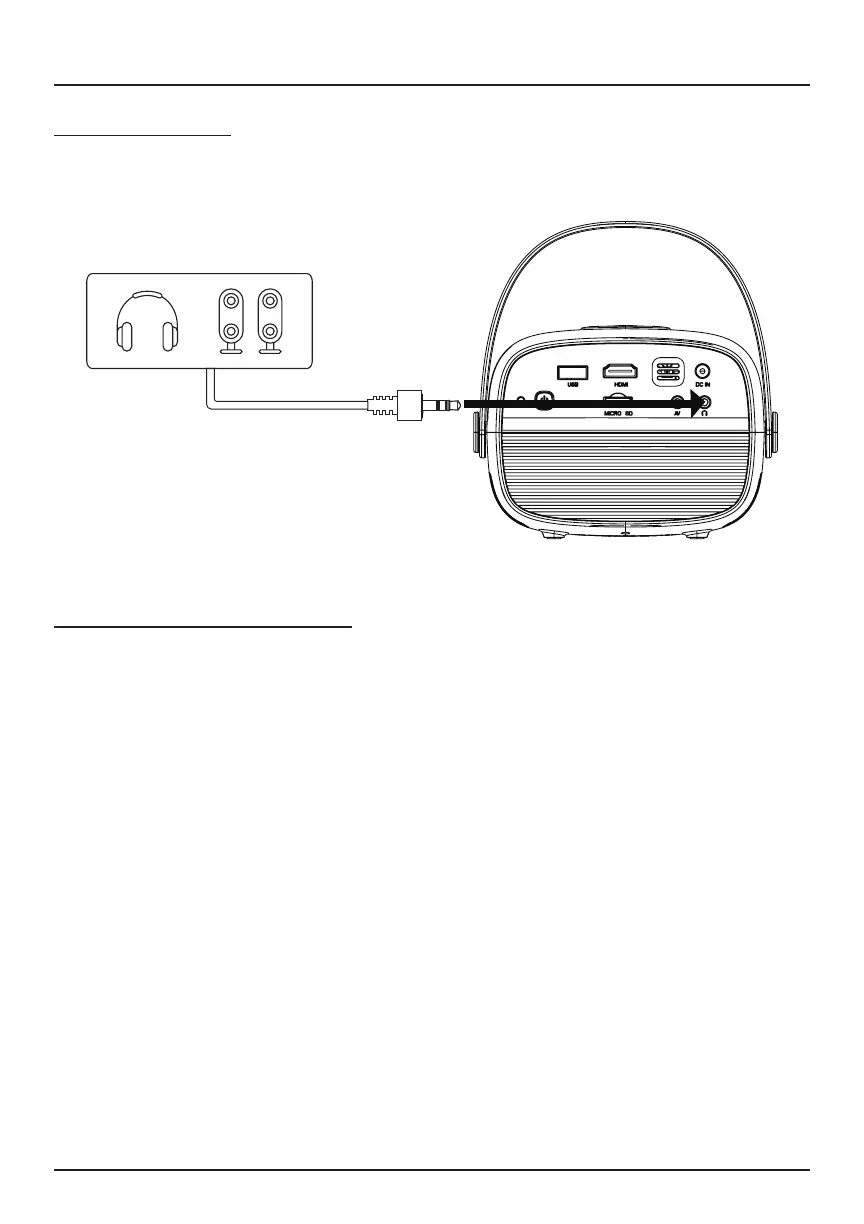
Headphone Jack
You may connect headphones or a wired audio system (not included) to the
projector via the 3.5mm jack.
Connecting to Other Devices (Continued)
Bluetooth -Enabled Devices
Follow the details below to connect your Bluetooth
®
-enabled device (such as
a speaker; not included) to the projector:
1. Open the projector menu. Select Setup > Options > Bluetooth
®
On.
2. Select Bluetooth
®
On > Search. The projector will begin searching for
Bluetooth
®
-enabled devices.
3. Turn on your Bluetooth
®
speaker.
4. If the projector nds the device, the name of your speaker will display.
5. Select the speaker’s name, and the projector will show Bluetooth
®
Connected to indicate a successful connection.
®


 To Next Page