7
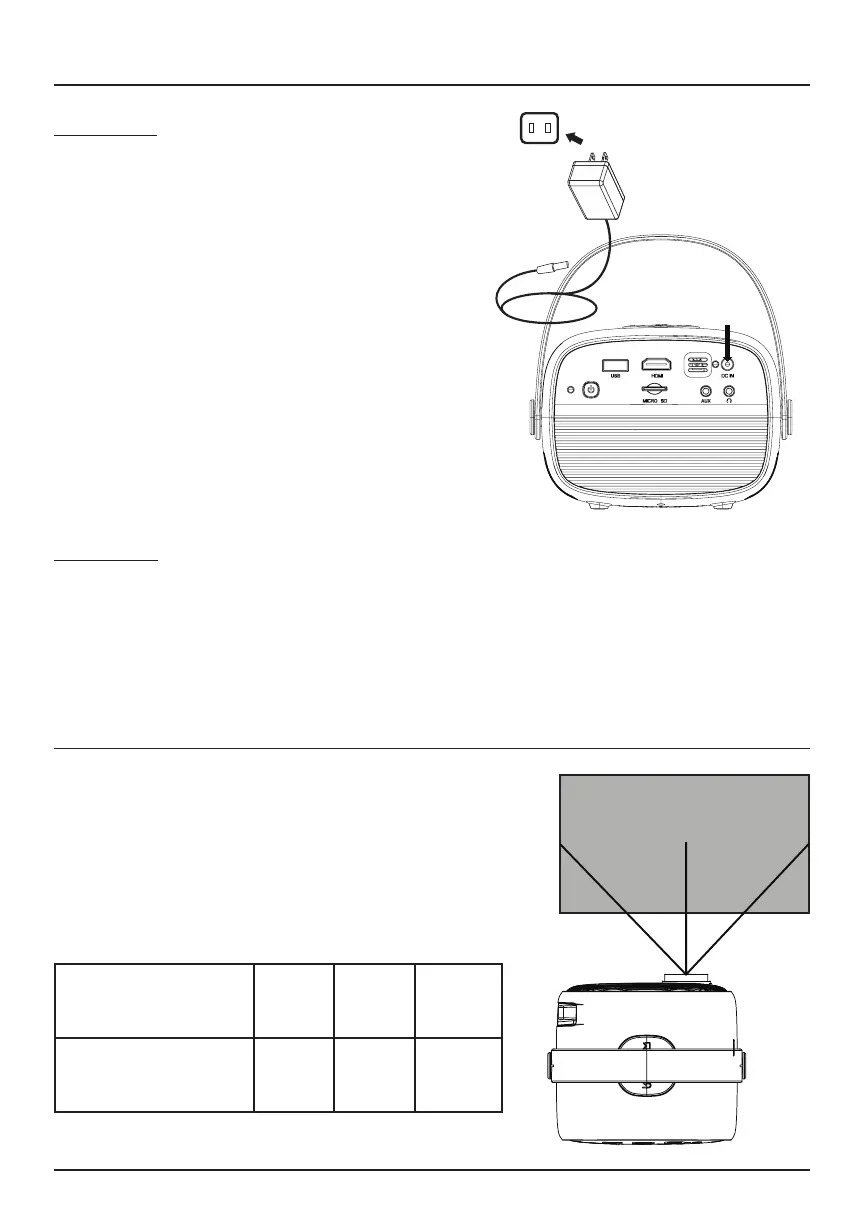
Power On
1. Connect the small end of the power
adapter into the DC IN port on the
projector, and then plug the adapter
body into a power outlet. The
projector’s indicator light will turn
red.
2. Press the power button on the
projector. The indicator light will now
turn green.
3. The projector will turn on after 5
seconds.
Power O
1. Press the power button on the projector twice to power o.
2. Unplug the power adapter.
Measure the distance between the projector
and screen. This is the projection distance.
Note: For best results, we recommend aligning
the center of the projector lens with the center
of the screen.
Powering On/O Your Device
Distance
Projection
Distance
39” 78” 118”
Projection Size 30” 68” 100”
Screen


 To Next Page