5
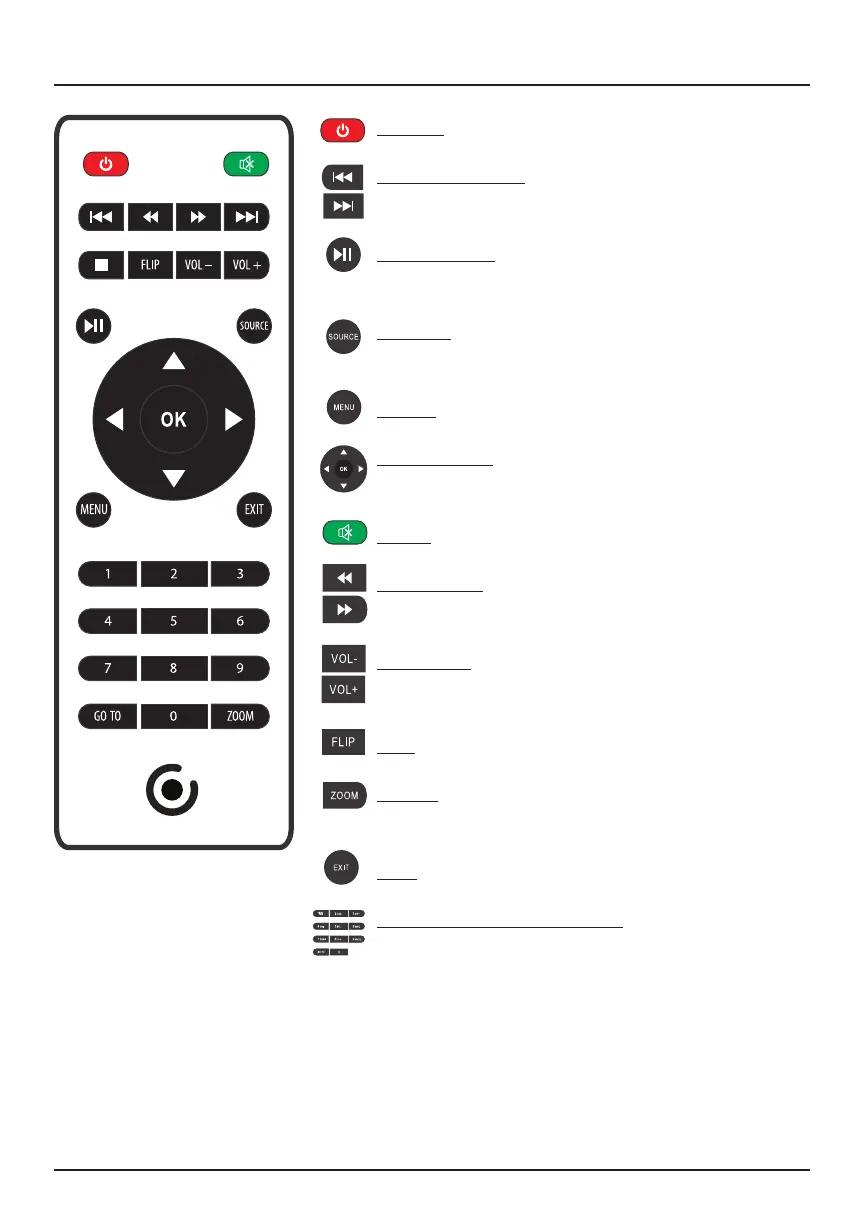
Remote
Power: Press to power ON / OFF
Previous/Next: Press to skip between
chapters
Play/Pause: Press to play or pause an
individual chapter or track
Source: Press to select media source (AV,
PC, HDMI
®
, MEDIA)
Menu: Press to access projector settings
Arrows/OK: Press to navigate on-screen
menu(s) and make a selection
Mute: Press to mute volume
Back/Fwd: Press to search through an
individual chapter or track
Vol+/Vol-: Press to adjust audio level
Flip: Press to ip display image 180°
Zoom: Press to zoom display image in or
out
Exit: Press to exit menu(s)
Go To/Number Key Pad: Press to enter
specic chapter or track number; press play
when ready


 To Next Page