16
Menu 02
Press the Menu button to enter the projector’s
menu. Press again to return to the previous
screen.
Use Navigator buttons to select the adjustments
shown on the left.
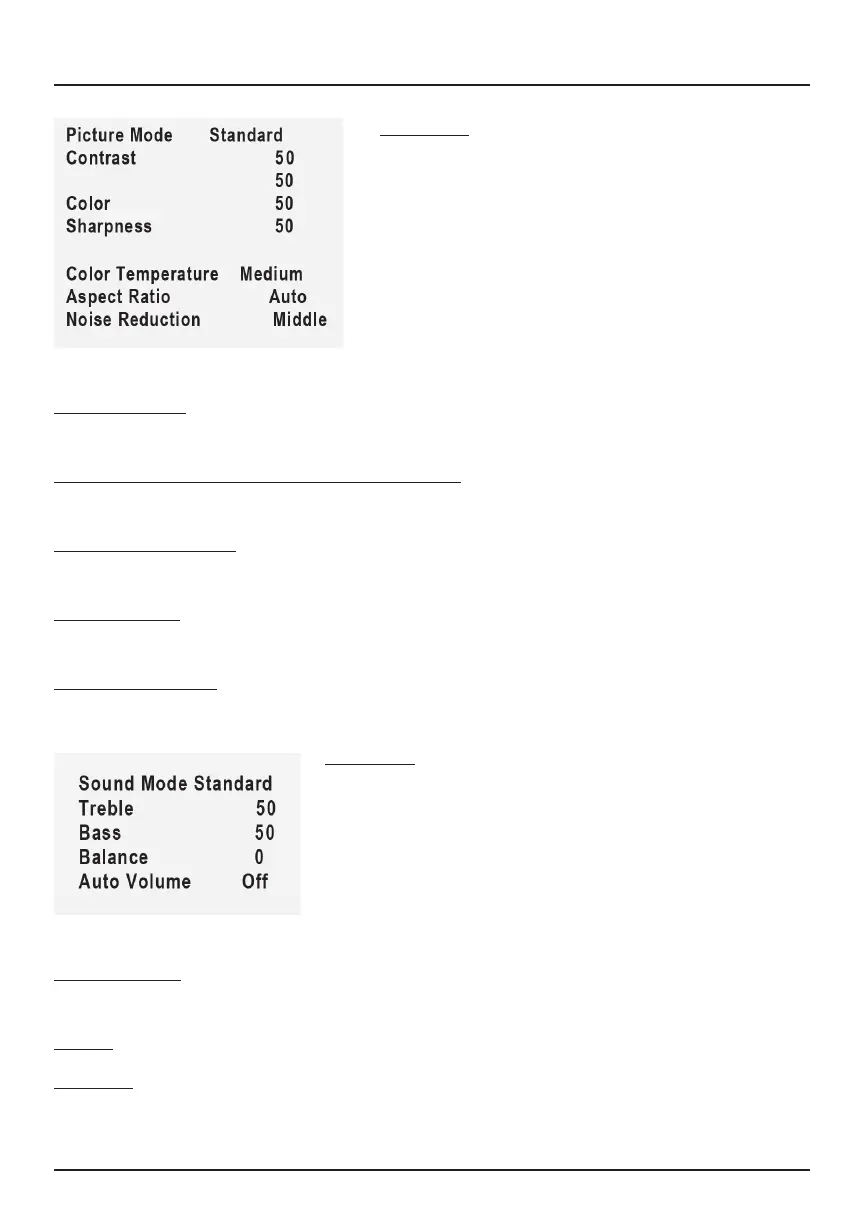
Sound Mode: Use the left/right arrows on the Navigator to select dierent
sound eects (Standard/Music/Movie/Sports/User)
Treble: Use the left/right arrows to select level (0-100)
Balance: Use the left/right arrows to select level (0-100)
Menu 01
Press the Menu button to enter the
projector’s menu. Press again to return to
the previous screen.
Use Navigator buttons to select the
adjustments shown on the left.
Projector Menus
Picture Mode: Use the left/right arrows on the Navigator to select dierent
picture eects (Soft / Standard / Vivid / User).
Contrast / Brightness / Color / Sharpness: Use the up/down arrows on the
Navigator to select level.
Color Temperature: Use the left/right arrows on the Navigator to select
dierent color temperatures (Cool / Medium / Warm).
Aspect Ratio: Use the left/right arrows on the Navigator to select screen ratio
(4:3 or 16:9).
Noise Reduction: Use the left/right arrows on the Navigator to select O /
Low / Medium / High / Default.
Brightness


 To Next Page