9
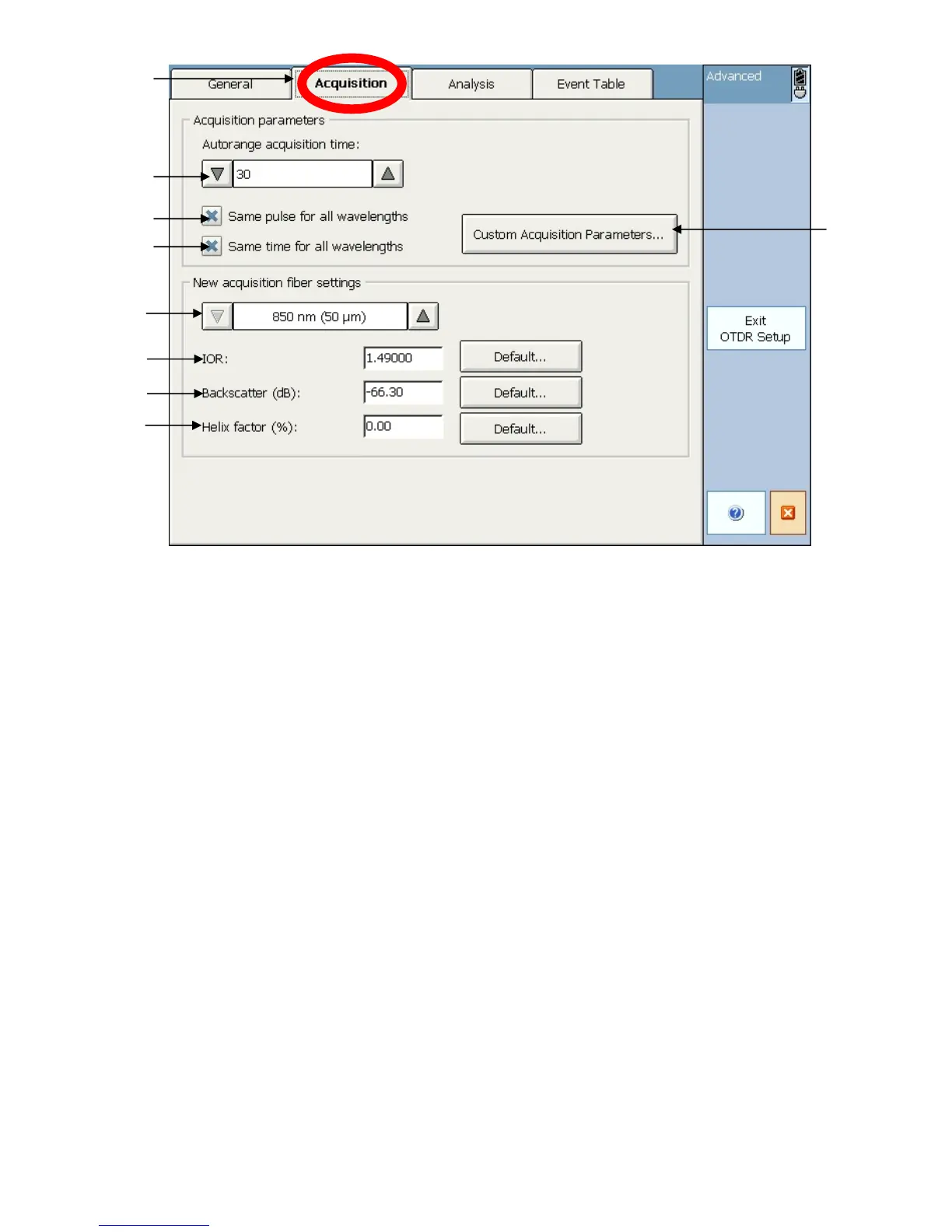
Figure 6. OTDR setup – Acquisition tab
1. Acquisition Setup tab- Press this tab to access the acquisition settings.
2. Acquisition Time setting- Set the time period for auto testing here.
3-4. Same pulse + time per wavelength setting- You can choose to set the pulse
and time acquisition settings to be the same for all wavelengths.
5. Fiber selection- Choose which fiber type to enter IOR, backscatter, and helix
factor for.
6-8. Fiber specifications- Enter the IOR, backscatter, and helix factor for the selected
fiber type or choose the default setting by hitting the default button.
9. Custom acquisition settings – Set the time and pulse width for each wavelength


 To Next Page