OPERATING INSTRUCTIONS
• High voltage danger from power source! Consult a qualified electrician for proper
installation of receptacle. This welder must be grounded while in use to protect the
operator from electrical shock.
• Do not remove grounding prong or alter the plug in any way. Use only the supplied
adapter between the plasma cutter's power cord and the power source receptacle. Make
sure the POWER switch is OFF when connecting your welder’s power cord directly to a
properly grounded 230/120 VAC, 60 HZ, Single Phase, 50/20 Amp input power supply.
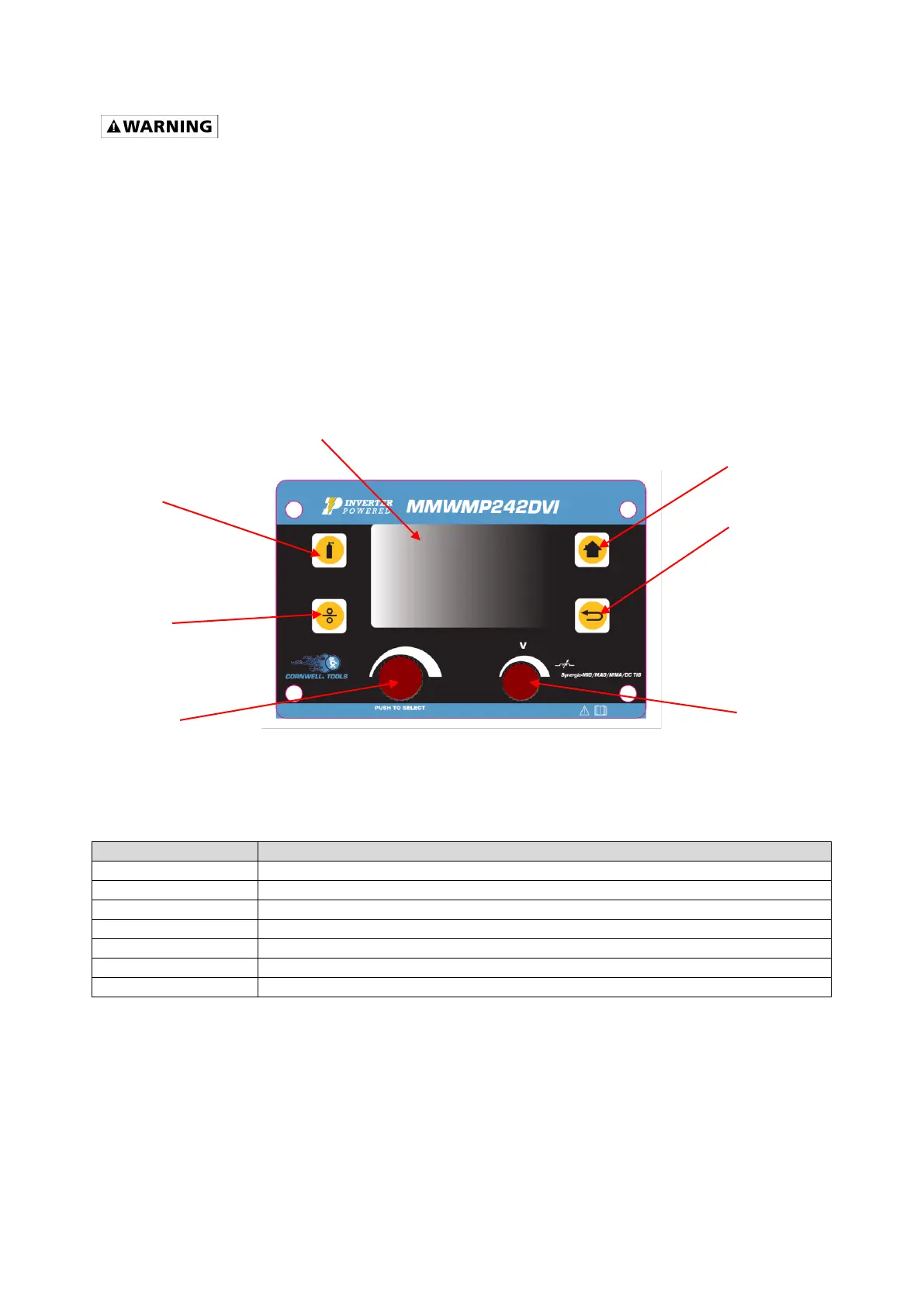
UNDERSTANDING THE FRONT PANEL
1. GENERAL SYSTEM SET-UP
1.1 Press the START BUTTON
1.2 Turn the MULTI-FUNCTION ADJUSTMENT/SELECTION KNOB to the SETTING
selection
1.3 Push in the MULTI-FUNCTION ADJUSTMENT/SELECTION KNOB.
1.4 LANGUAGE
1.4.1 English is the default selection
1.4.2 To change selection, Press the MULTI-FUNCTION ADJUSTMENT/SELECTION
KNOB.


 To Next Page