Installation
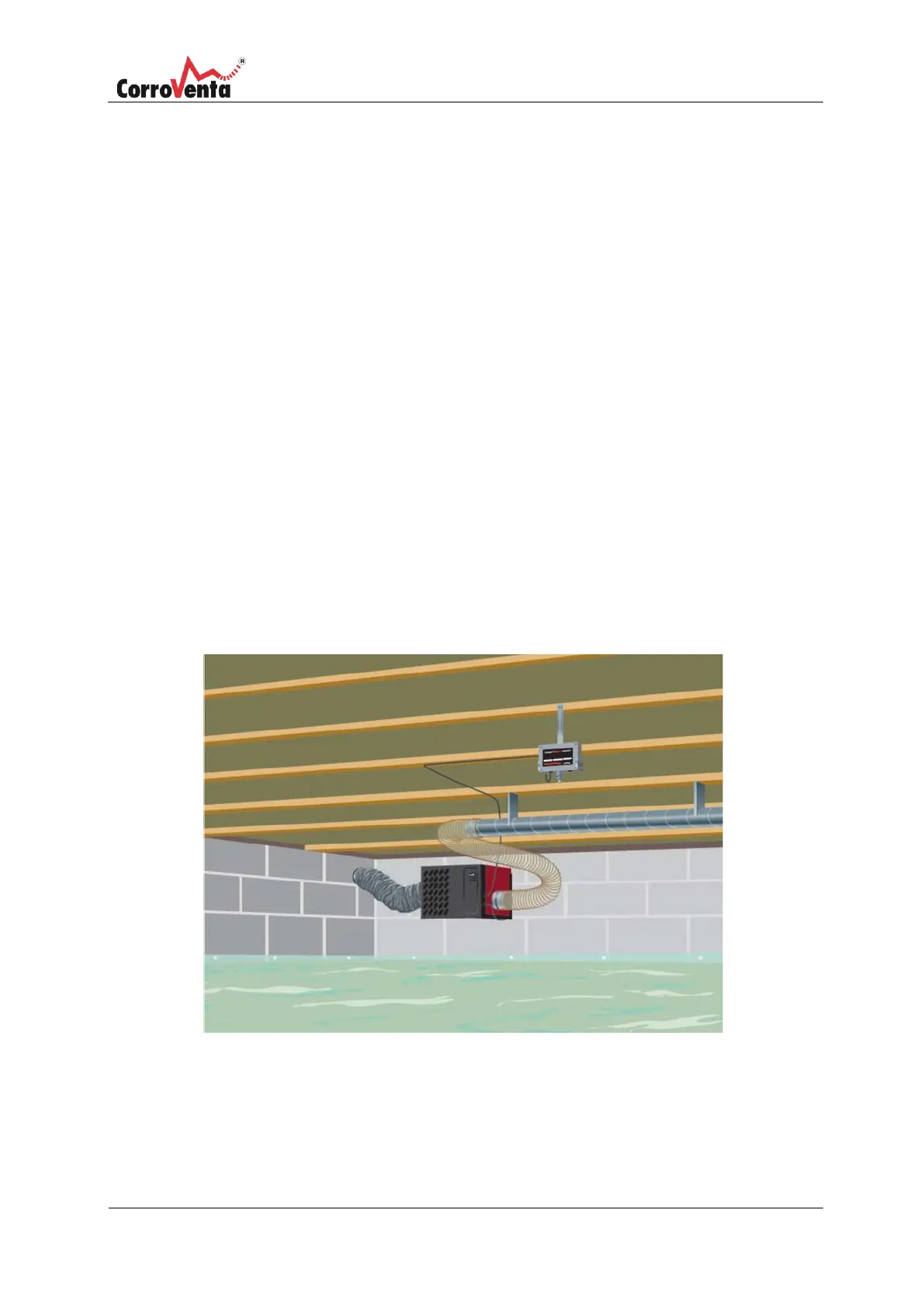
Installation of control unit and connection of control panel for crawl spaces
When the control unit is to be installed, also prepare the control panel by inserting its batteries
and take it with you to the crawl space. Comprehensive installation instructions can be found in
the enclosed installation manual for the dehumidifier. The following instructions are a brief
summary.
1.
Install the control unit, within the reach of the cable length to the dehumidifier, in a
location in the crawl space where its measurement values will be representative for
the surrounding climate by ensuring that:
•
The unit is positioned at approximately half the height of the crawl space.
•
The unit is not affected directly by the dehumidifier's dry air.
•
The unit is not affected by the dehumidifier's wet air.
•
Not affected by radiation from heat sources.
•
Not affected by radiation from surfaces colder than the ambient air.
The control unit is suspended in the cradle that is included in Mounting kit TT Multi with
the sensor facing down towards the ground. The cradle is secured according to the image
below.
2.
Connect the Control unit's cable to the dehumidifier and power the dehumidifier by
connecting the power cable. Continue to point 3. for connecting to the control panel


 To Next Page